

Availability. The activity log (change history) is on the
Starter plan and above. See
pricing.
Where
Settings → Activity log at the workspace level. Or per site, under Site → Activity log, a filtered view of the same feed.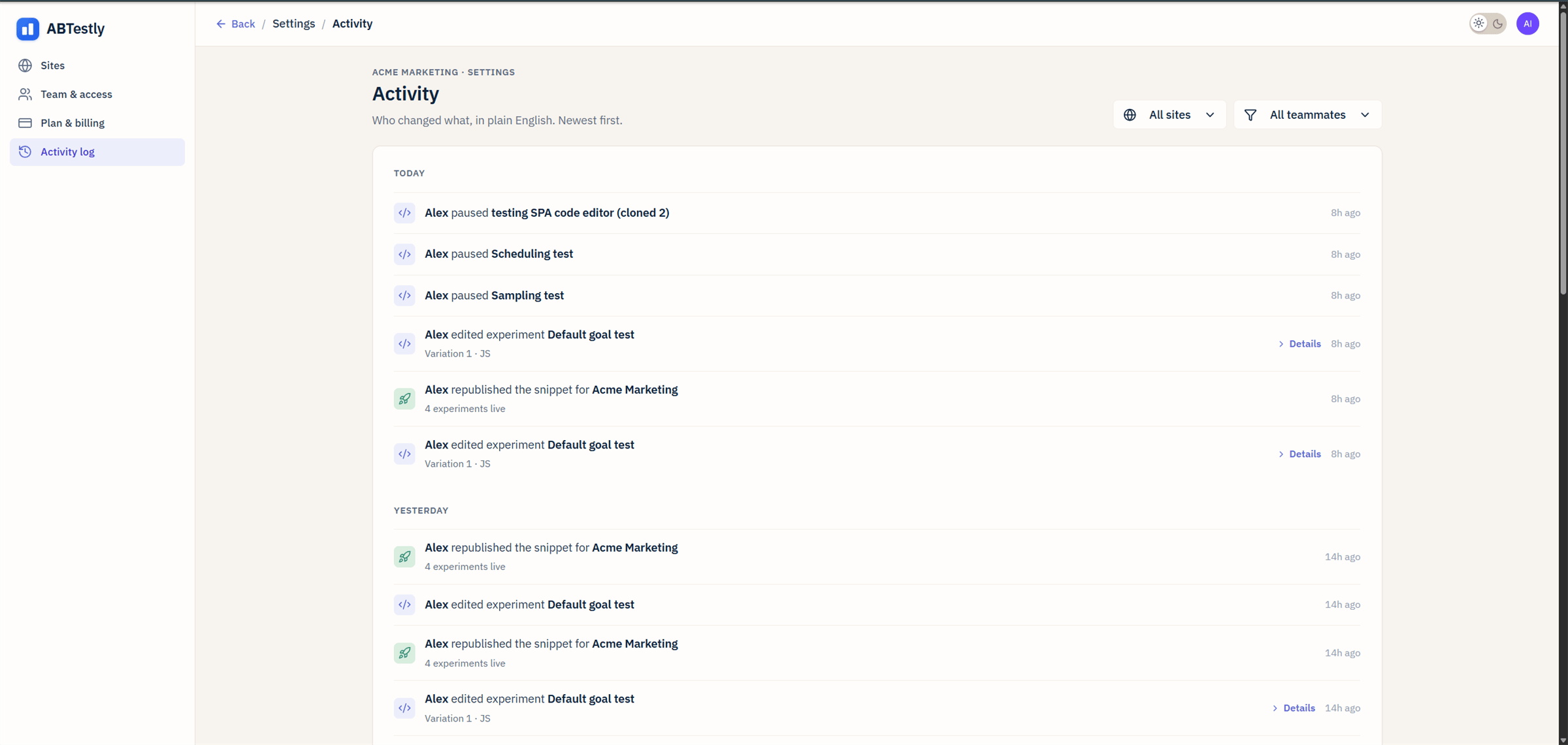
Activity log with actor, verb, and object per row.
The view
Grouped by day: Today, Yesterday, Earlier. Newest event first inside each group. Each row has:- Actor, who did it.
- Verb, paused, published, edited, invited.
- Object, the experiment, goal, permission key.
- Timestamp in your project timezone.
- Details on structured events (a variant edit, a permissions change) expands the row to show what changed, before and after.
Filters
All URL-shareable:- Actor, one member.
- Site, one site in the workspace.
- Experiment, one experiment.
?actor=<id>&experiment=<id> shows every action one
person took on one test.
Deep-link from an experiment
Every experiment detail page has a Change history link that opens the activity log pre-filtered to that experiment.What lands in the log
- Experiment lifecycle, created, saved, published, scheduled, cancelled, paused, resumed, republished, archived, restored, deleted, cloned, data-reset.
- Content edits, variant JS/CSS, goals attached/detached, locations/audiences changed, activation mode changed.
- Team & access, invitations, permission toggles, role changes, removed members.
- Site settings, anything under Settings that changes what the snippet does.
Code changes
When a save changes a variation’s JavaScript or CSS, Details shows each changed file as a read only comparison, Before on the left and After on the right. A label above it names the variation and the file, for exampleVariation 1 · JS. Changed lines are highlighted, the
same way as in the editor’s Review changes.
- Several files in one save. The first three comparisons open straight away. Any after that read Diff hidden to keep this page fast. with a Show diff button, so a large save does not slow the page down.
- Full code up to 32 KB per file. The log keeps the complete before
and after of each file up to 32 KB (32,768 characters). A file larger
than that is kept as its length and a fingerprint instead of its text,
so it cannot be compared: that side reads, for example,
40,213 chars (truncated). - 128 KB per event. One event keeps at most 128 KB (131,072 characters) of before and after values in total. Once a save passes that, any further value that does not fit is kept as its length and a fingerprint in the same way. Every changed field is still listed.
- Other fields show plain before and after boxes.
The activity log is an audit trail, not a code archive. Its workspace
entries are deleted after 6 months, and files over 32 KB are not kept in
full. For every version of a variation’s code, kept in full for as long as
the experiment exists, use Code history.
Redactions
- Global JS, the log records its size in bytes and a fingerprint, never the code.
- Blocked IPs, only the number of rules, never the addresses or their notes.
- Cookie values in audience rules, the rule is logged, the value is not.