

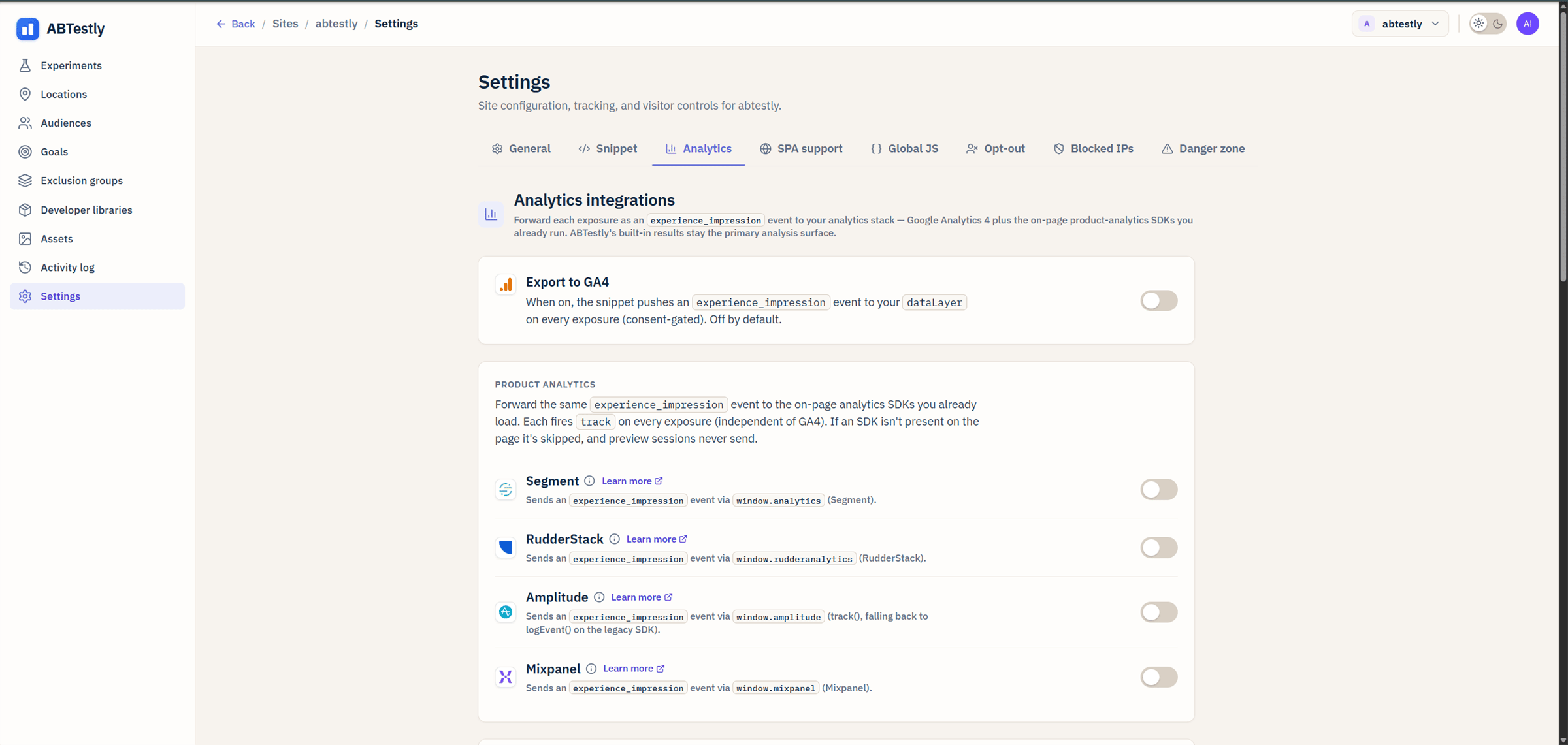
Analytics adapters, toggles for GA4, Segment, RudderStack, Amplitude, Mixpanel.
What each adapter does
When enabled, the snippet calls into the on-page SDK for the tool. The call happens at exposure time, once per (visitor, experiment, pageview).GA4
Pushes anexperience_impression event into window.dataLayer. Fields:
experiment_id, UUIDexperiment_name, human nameexperiment_number, short numeric idvariant_key, short key (control,variant-1, …)exp_variant_string,id.variant_keyconcatenated, the format GA4 uses for experiment slicing.
Segment
Callswindow.analytics.track('Experiment Viewed', { … }) with
the same field set.
RudderStack
Callswindow.rudderanalytics.track('Experiment Viewed', { … }).
Amplitude
Callswindow.amplitude.track(...) if the modern SDK is present, or
falls back to window.amplitude.logEvent(...) for the legacy SDK.
Mixpanel
Callswindow.mixpanel.track(...).
Requirements
Each adapter requires the corresponding SDK to be on the page before the snippet fires exposures. In practice that means loading the SDK in<head> above or below the ABTestly snippet, either order works, as
long as the SDK is defined by the time an experiment first exposes.
If the SDK is missing when the exposure fires, the adapter no-ops
silently and reports a first-occurrence-per-session
/err event. Your dashboard’s
Snippet health panel will surface it.
Preview mode is quiet
Adapter calls are suppressed when the visitor is in preview mode. You do not want a QA preview polluting your live analytics.Consent
Adapters compose with the consent gate. If consent is set to deferred and the visitor has not granted, adapter calls do not fire, the snippet is not running yet. Once consent is granted the snippet runs and adapters fire.Turning them all off
That is fine. ABTestly’s own results page reads from the ledger, not from your analytics tool. Adapters exist because you probably want the data in the tool your team already uses, not because ABTestly needs them.What ends up in your analytics
One event per (visitor, experiment, pageview). Not one per goal. your existing conversion tracking already fires goals; the exposure event is what lets you slice those existing conversions by variant. Downstream, that means:- In GA4, add
exp_variant_stringas a custom dimension to any standard conversion report. - In Segment/Rudder, filter or group events by the
experiment_idorvariant_keyproperty. - In Amplitude, use the event’s property as a chart segmentation.
- In Mixpanel, same, segment your conversion events by
experiment_id/variant_key.
The full field set on every adapter
Every call includes:experiment_idexperiment_nameexperiment_numbervariant_keyvariant_nameexp_variant_stringabtestly_visitor_id, a hash, not your visitor’s id.