

Availability. Dev libraries are on the Pro plan and above. See
pricing.
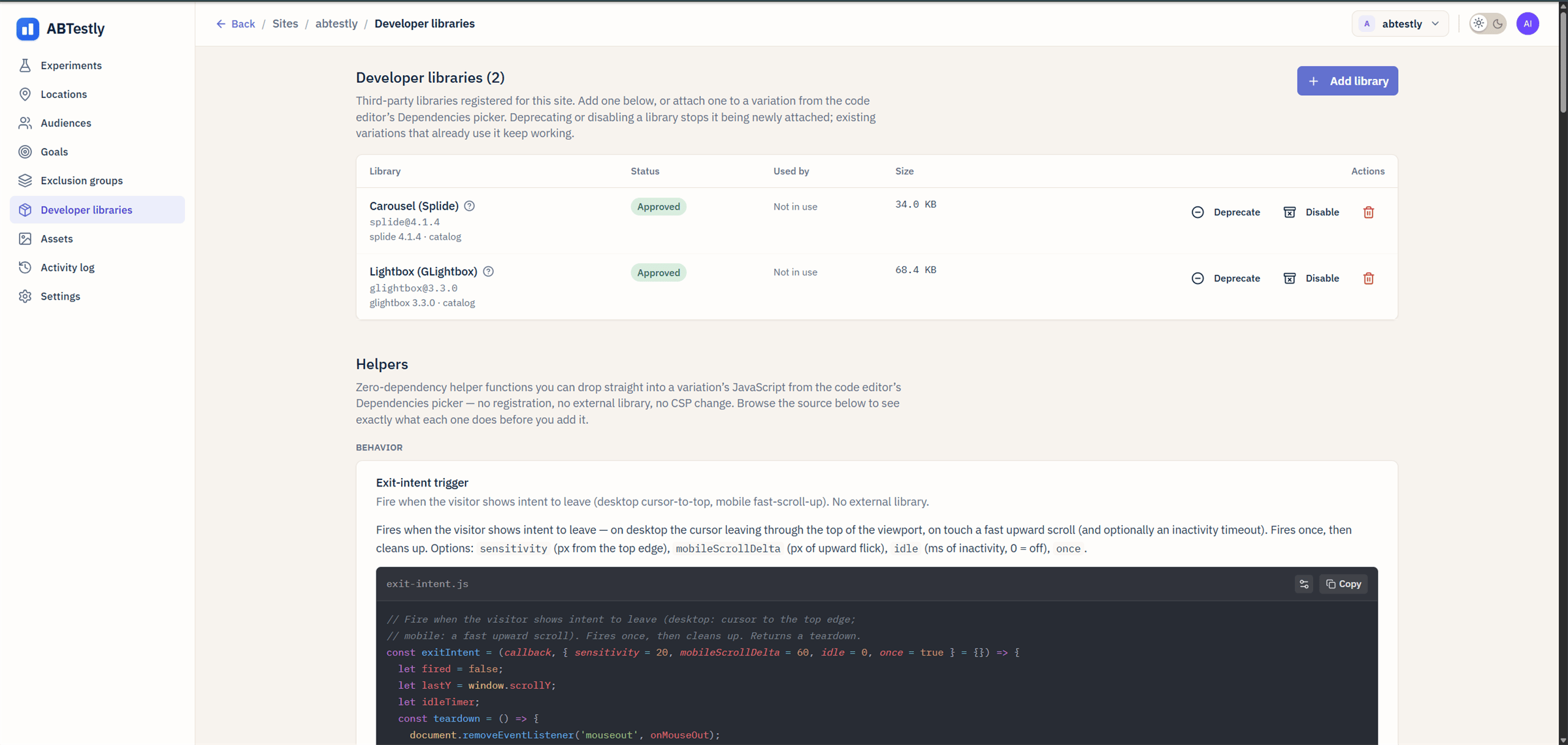
Developer libraries tab, showing each registered library's status, how many variations use it, and its size.
What is on offer
The catalog is curated and worker-authoritative. Each entry is pinned to a specific version with an SRI hash for both its script and its stylesheet, so what loads on your site cannot change under you. Today:splide@4.1.4, Splide carousel.glightbox@3.3.0, GLightbox lightbox.
The same picker also offers Helpers: small zero-dependency
functions (an exit-intent trigger, for example) that are pasted
straight into your variation’s JavaScript. They register nothing, load
nothing at runtime, and need no CSP change. They are not libraries and
the rules below do not apply to them.
Attach one
- In the variation editor for a variant, open the Dependencies picker.
- Pick a library. It gets added to the variant’s dependency list.
- Save. The library’s starter code is appended to your variant’s JS if the starter is more than a stub.
Use it in variant JS
Inside your variant’s code, the library is available via a scoped accessor on the apply context. The key includes the version:ctx.libs.get(key)resolves to the global the library publishes, the same object you would get from a<script>tag on the page.- The key is the catalog key, version included.
'splide'on its own is not a key and will reject. - The Promise resolves once the library has finished loading on the page.
- If you did not declare the library on the variant, the call rejects
with
UndeclaredLibraryDependencyError. Add it in the Dependencies picker first.
What the runtime actually does
On the first variant that needs library X on a given page, the runtime injects a<script> (and a <link> for its stylesheet) with the
pinned URL, its integrity hash, and crossorigin="anonymous", then
waits for the load. Any other variant on the same page that needs X
reuses that same load rather than injecting a second tag.
The cache lives for one page load. A fresh page builds fresh tags, and
the browser’s own HTTP cache is what saves the download the second
time.
Libraries are served from jsDelivr today. Moving them to
cdn.abtestly.com is planned, which will let us warm the cache and
drop the third-party origin.
If it fails to load
A failed asset is retried once, after 200 ms. There is no load timeout: a request that hangs rather than failing will keep thectx.libs.get() Promise pending.
If it still fails, the Promise rejects and the rest of that variant’s
onApply callback after the await does not run. The exposure has
already been recorded by then, deliberately, so that a library failure
cannot skew the split. Other experiments on the page are unaffected.
The visitor sees the unmodified page and nothing is surfaced to them.
Content Security Policy
The snippet has baseline CSP requirements whether or not you use libraries, including'unsafe-eval' for
variation JavaScript. Libraries add two origins on top of those:
script-src https://cdn.jsdelivr.net, for the injected script.style-src https://cdn.jsdelivr.net, for the injected stylesheet.
integrity and crossorigin, not a nonce, so
a strict nonce-only script-src blocks them.
Diagnostic telemetry
The runtime reports variation apply failures to a diagnostics dataset, which is how we see that a variation using a library threw rather than applying cleanly. What is sent is deliberately thin: the kind of event, the experiment id, and an internal revision counter. No per-visitor data is included: no visitor or session id, no page URL, no referrer, no user agent, and the endpoint adds nothing on receipt.This dataset does not currently measure library load times, and the
Developer libraries tab does not show a load-time column. The Size
column there is the library’s published size from the catalog, not a
measurement from your site.
Approve, deprecate, disable, delete
Under Site → Developer libraries, admins and users with the Dev role can:- Deprecate, mark it as “please move off”. It stops being offered for new attachments; variations already using it keep working and keep loading it.
- Disable, stop it being attached and stop it being served. A variation still referencing a disabled library fails to publish.
- Re-approve, put a deprecated or disabled library back in use.
- Delete, refused with
409 in_usewhile any variation still references it. The error tells you how many. Detach those first.