

Which check blocks what
Three separate things read your variation code for syntax errors, and they are easy to confuse because all three call it a syntax error. Only one of them is code check, and it is the one that blocks nothing.
Two consequences are worth knowing:
- The editor’s Save block is a convenience in the browser, not the thing that keeps broken code off your site. The config builder is. Saving through the API directly is not subject to it.
- The config is built in the background after you click Start, so an experiment can show as running while the config builder is still refusing the new version. Your site keeps serving the previous config until it succeeds. See publish outbox for how to tell.
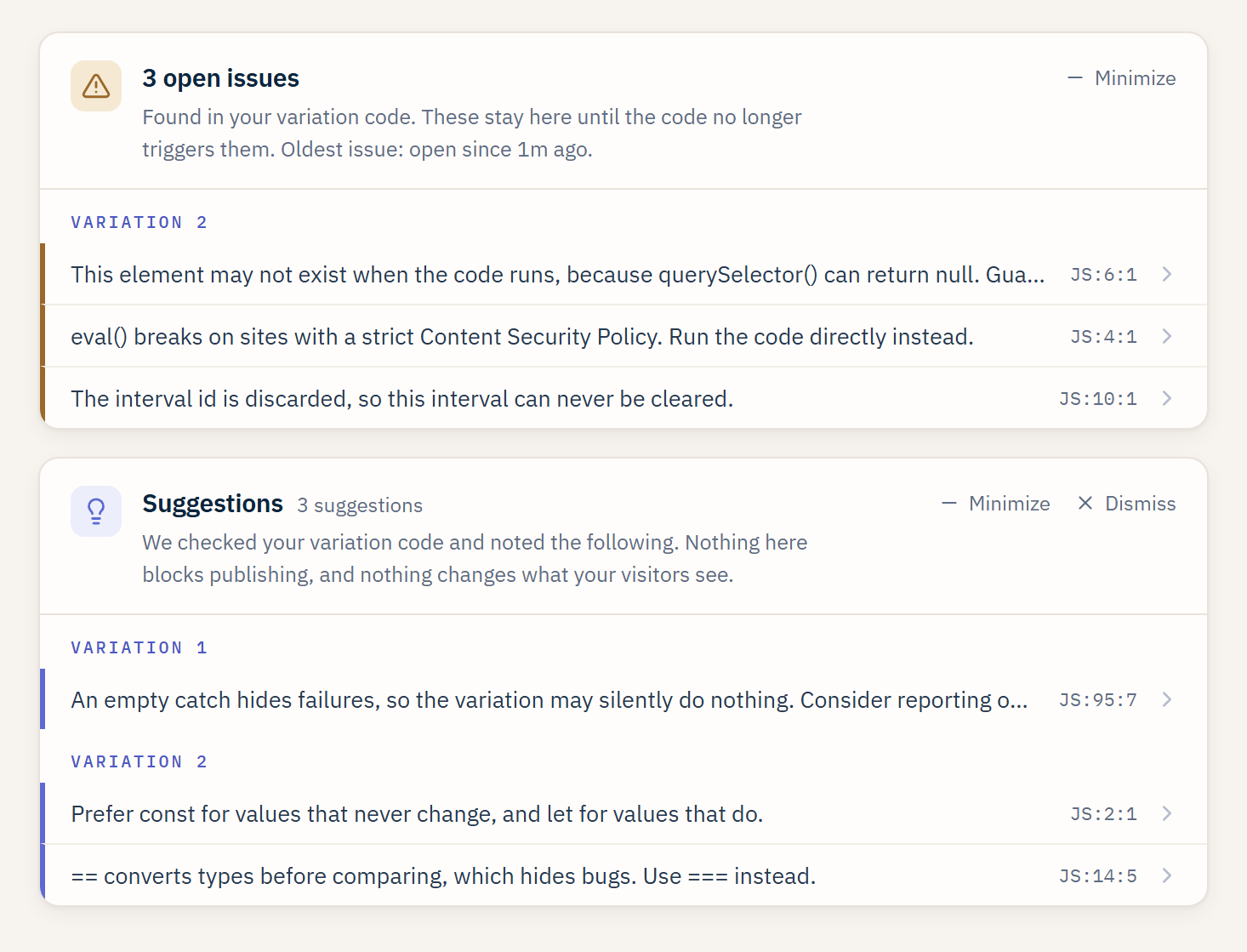
Code check on an experiment: persistent Issues above, Suggestions below, each grouped by variation and pointing at the line it found.
When it runs
Code check runs whenever your variation code could have changed:- When you publish or republish an experiment.
- When you save a draft, a paused, or a live variation.
- When you resume a paused experiment.
Two tiers: Issues and Suggestions
Findings come in two levels.Issues (safety)
Issues are the things most likely to actually break the experience for a visitor. They persist: an issue stays on the experiment until the code no longer triggers it, and each one shows how long it has been open, so a real problem cannot scroll away and be forgotten. Examples:- An
eval()that a strict Content Security Policy will block. - A
querySelectorresult used without a guard, which throws when the element is not on the page yet. - Variation code or CSS that hides the whole page.
- A
setIntervalthat is never cleared. - A syntax error. This one is reported only. It is not the check that disables Save, and it is not the check that holds back a publish.
When a source has a syntax error, code check reports the syntax error
and holds that source’s other open issues in place rather than marking
them resolved, since it could not fully read the file.
Suggestions (quality)
Suggestions are lower severity nits. They are worth tidying but they will not break a visit. Suggestions show alongside your saved code and can be dismissed for the session. Examples:varwhereconstorletwould read better.==where===avoids a type coercion bug.- An unused variable, or a variable declared twice.
- A listener added per element on a page that rebuilds its DOM, where
one delegated listener on
documentwould survive the rebuild. - A redirect inside variation code, which a Split URL test should handle instead.
How findings are shown
- Findings are grouped by variation, so you read each variant’s own list.
- Each finding points at a line and column in the JavaScript or CSS pane.
- The panel survives a page refresh. Issues stay until they are fixed; a Suggestions panel you dismissed comes back on your next visit.
- A rule that fires on several lines is counted per line, so the header count matches the rows you see.
What it checks
Code check looks for a fixed set of patterns across variation JavaScript and CSS, more than forty in total. It is a set of heuristics: it checks for the specific mistakes below rather than claiming to catch every possible bug. Each row is the exact message the panel shows, in the same two tiers the panel groups them into.Issues (safety)
JavaScript
CSS
Suggestions (quality)
JavaScript
CSS
Where a message names a specific value, like a selector, variable, or
size, the panel fills in the real one from your code. The values shown
here (for example
count, .sc1a2b3c, and 1200px) are placeholders.
It never blocks your publish
This is the point worth repeating. Code check is a second set of eyes, not a gate. Even with open issues, your experiment publishes when you publish it. The findings are there so a mistake is caught before it reaches visitors, not to stand between you and shipping.What code check is not
- It is not AI. It reads your code the way a linter does, with a fixed set of rules. Nothing is sent to a model.
- It does not run on your live site. It analyzes the code you saved, on ABTestly’s side. It does not load your pages, execute your code, or test your selectors against the running site.
- It is not a blocker. Warn only, always.
Related
Variations
Write the JavaScript and CSS that code check reviews.
Preview and QA
Force a variant and check it on your own site before you launch.