

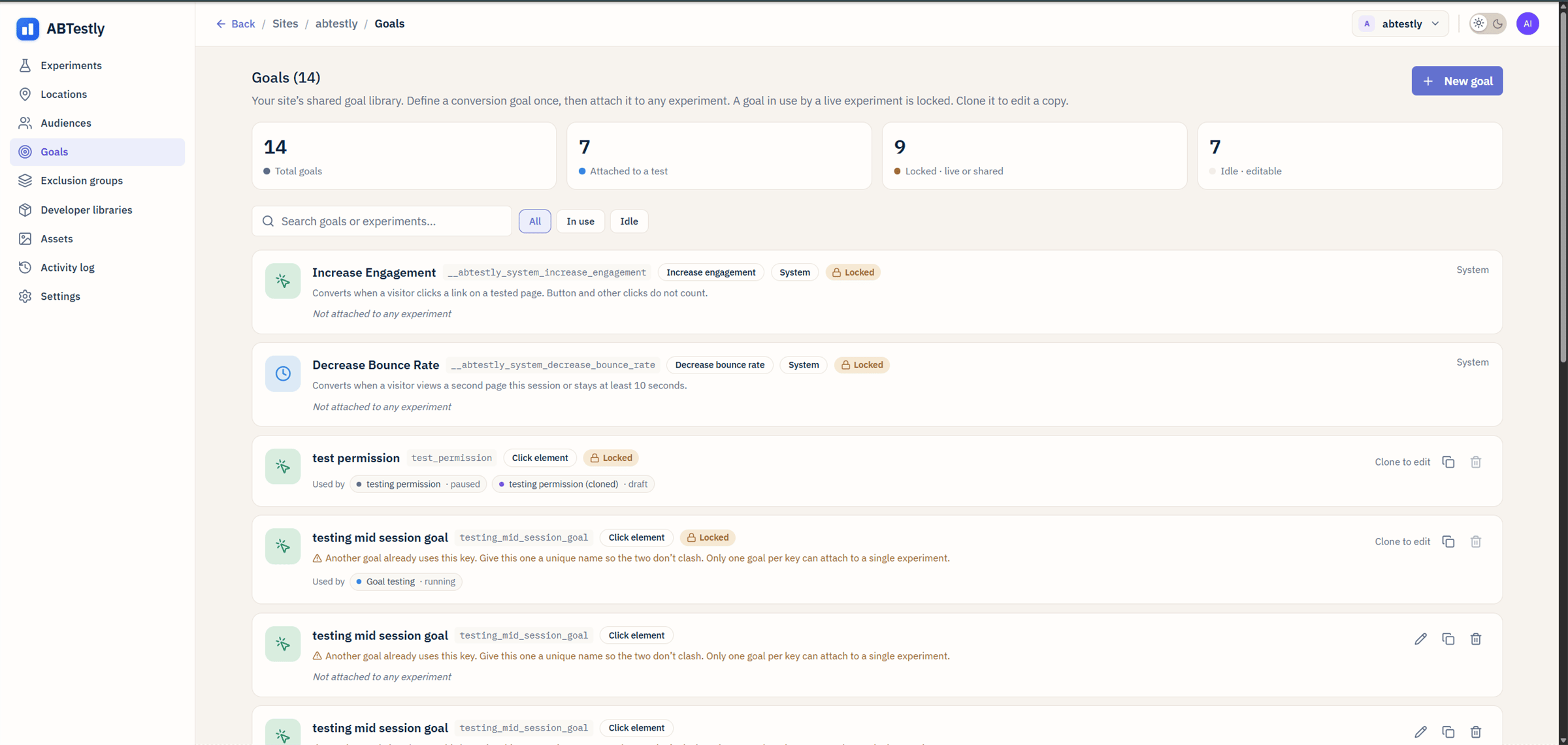
Goals library. The two system goals sit at the top with a lock icon.
Why they exist
The two most common ways an experiment secretly harms your site are:- It kills engagement, the click through, the second page view, the thing that leads to your real conversion.
- It causes people to leave without doing anything.
Increase Engagement
Key:__abtestly_system_increase_engagement
Type: Click on a hyperlink.
A visitor “engages” when they click an element that resolves to an
<a href>. A <button> that only runs JavaScript, and an <a> with
no href, do not count.
One capturing listener is installed on document for the whole site,
no matter how many experiments carry the goal. The fire is gated on
the route at click time, so on a site with SPA support a click after a
soft navigation away from a tested page does not count.
Engaged session (system)
Key:__abtestly_system_decrease_bounce_rate
Type: Non bounce.
This goal used to be shown as Decrease Bounce Rate. It is now
displayed as Engaged session, because visitors convert it by not
bouncing and the old name read backwards on the results page. The key
is unchanged, so no data or integration breaks. Note that a separate
goal type is also called Engaged session; that one is
30 seconds plus a click and is something you configure yourself.
- They view a second page in the same session.
- They stay ten seconds after the page started loading.
How it compares to GA4
ABTestly’s rule is its own. Google Analytics 4 calls a session engaged when it lasts longer than a threshold you can configure, or has two or more pageviews, or has at least one key event. ABTestly has a fixed ten second threshold and no key event condition. The two numbers will therefore not reconcile. Read this goal as “stayed ten seconds or saw a second page”, not as the inverse of GA4 bounce rate.Both goals as guardrails
By default the two system goals attach as guardrails, not as your primary metric. On the results page they appear in the guardrail list. A variant that wins on your primary metric but significantly lowers either system goal is called out. If you have a specific need to make one of them your primary metric, Increase Engagement on a top of funnel landing page test for example, you can promote it in the experiment editor’s What to measure section. Promoting a goal to primary clears its guardrail flag; a goal is never both at once.Turning them off
You cannot delete the goals themselves, every site keeps them, but you can detach them from a specific experiment. In the experiment editor, under What to measure, click the row for the system goal and remove it. New experiments still get both attached by default. Two situations where detaching makes sense:- A test on an intentionally terminal page. A confirmation page is a dead end by design. Leave the goal on and every test on that page looks like it is failing the guardrail. Detach and rely on your primary goal instead.
- A single page app where “second page view” does not map cleanly. The ten second condition alone still works, but you may want a custom goal that reflects your app’s own definition of engagement.