

ABTestly documentation
Code-first A/B testing served from Cloudflare’s edge. ABTestly is an A/B testing platform for people who care what the code on their site actually does. It runs from Cloudflare’s edge, ships a small inline snippet, keeps every event you send it, and never auto-charges you for traffic. That is the short version. Here is what makes us different from the tools you have probably used.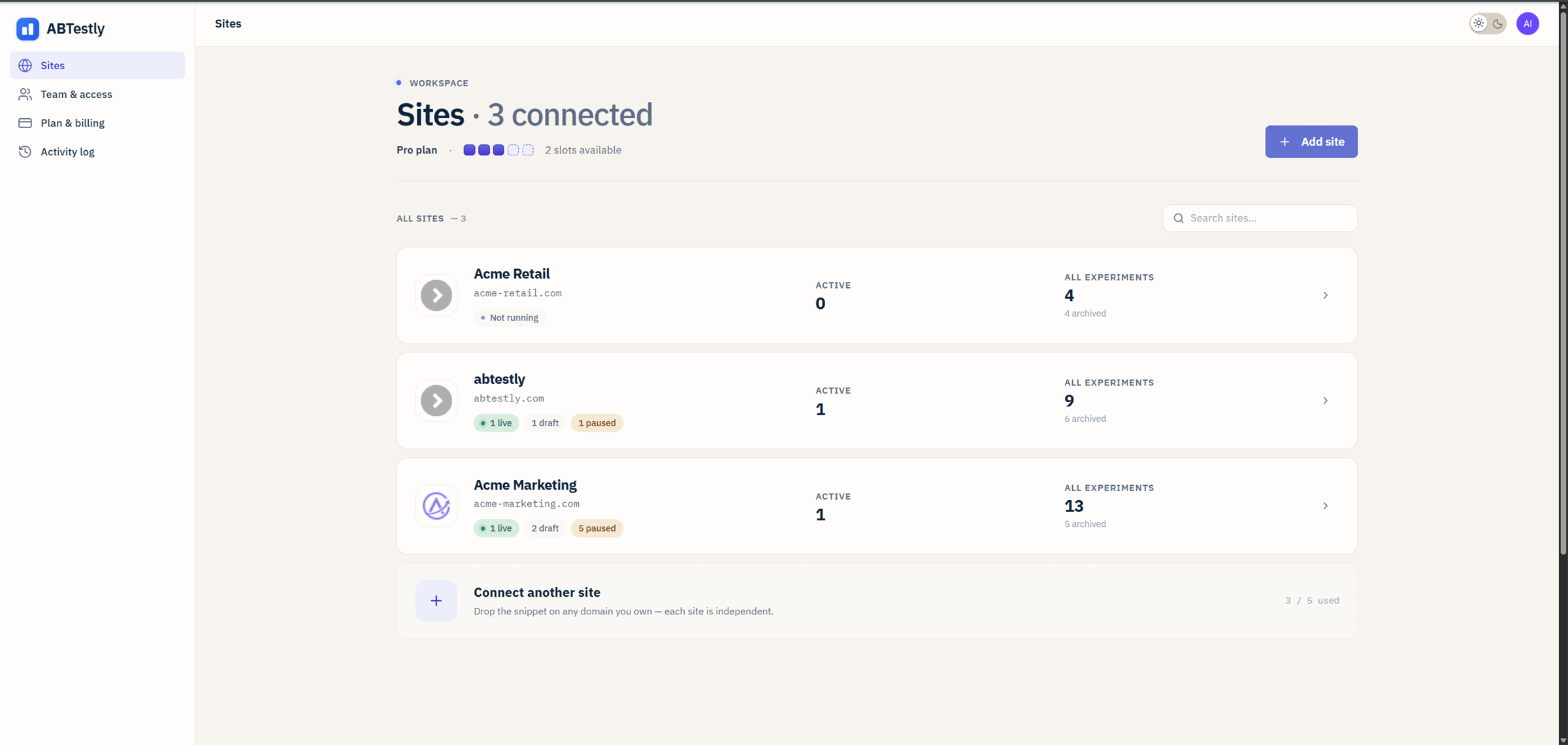
The workspace after connecting a few sites.
Who this is for
Site owners & marketers
You know what you want to test. You do not want to write a wire
protocol to run one. Follow the Guide track. Plain language,
screenshots, no surprises.
Developers & CRO engineers
You care what the snippet does on the page, how the buckets are
decided, and what actually hits your analytics. The
Developer reference track has the answers.
What is different about it
The snippet is small and it stays small. The inline loader is about 0.9 KB gzipped. The runtime it fetches is about 30 KB gzipped. Neither depends on a tag manager. The runtime is injected as a dynamic script, so it does not block the parser, and once it is in the browser cache repeat visitors reuse it across page loads. A cold first fetch can take one to two seconds while a Cloudflare location warms its cache. We do not publish a specific millisecond figure for first paint until we have a benchmark we are willing to stand behind; when a vendor quotes one without a method, treat it as marketing. Overages do not surprise you. If you exceed your Monthly Tracked Users limit, visitors who were already bucketed keep seeing their variant so your test stays statistically valid. New visitors stop being bucketed and you get an email. You decide whether to upgrade. The bill does not change on its own. Your data does not disappear. Downgrading, cancelling, and even being archived after 90 days of inactivity all preserve what you have collected. Reactivating is one click. You evaluate on the real thing, for fourteen days. New accounts get in through a 14 day trial of monthly Starter, Pro or Business: the full plan you picked, at your own traffic, not a reduced version of it. A card is required when you start the trial and the first charge lands on day 15, so cancelling before then costs you nothing. See the current plans for the full grid.Statistics you can actually defend
Most A/B tools ship one significance test and hope you do not ask questions. We do not hide the math, and we let you pick the engine that fits the way you actually work. Frequentist on every plan. Two-proportion Z with a proper confidence interval, the exact ledger behind the numbers, and an SRM check that warns you before a broken split becomes a false winner. Nothing about the honest end of the math is paywalled. Two more engines on Pro. Sequential is an anytime-valid confidence sequence for teams that peek at dashboards without wanting to inflate their false-positive rate. Bayesian uses a Beta-binomial posterior and reports the probability that variant beats control plus the expected loss if you are wrong. Pick per experiment. The method version locks once the test starts, so an engine upgrade cannot silently change a running test’s math. Four revenue metrics on Pro. For revenue goals, toggle between conversion rate, revenue per visitor, average order value, and orders per visitor. Each with its own proper confidence interval. RPV gets a mean-difference CI, not a proportion CI dressed up as one. Refunds andorderId dedup are
built in so a retried beacon does not double-count.
No sampling in your final numbers, on every plan. Every event
goes through the Exact Experiment Ledger
before it lands on the results page. That is a queue, plus R2
storage, plus a per-experiment Durable Object. Cloudflare’s Analytics
Engine drives the live tick-by-tick counter, but your final verdict
comes from the ledger. If the ledger is briefly behind, the page
tells you in English instead of quietly serving stale numbers.
Guardrails catch a broken win. Every experiment auto-attaches two
system-default guardrails, Increase
Engagement and Engaged session, on every plan. Adding your own
guardrail metrics is on Starter. Every variant also gets a
Largest Contentful Paint speed guardrail
per device on Pro. A variant that wins on the primary goal but tanks
a guardrail is called out in the verdict copy.
Sample Ratio Mismatch is detected. We run a chi-square
SRM check on every experiment. If your 50/50 split
becomes 55/45 for a bad reason (say, redirect variants losing
beacons, or a click activation selector that only exists in one
variant), the results page warns you and suppresses the winner call
until you fix the cause.
Verdict copy is written by adults. No “statistically significant
with p=0.048!” chest-thumping. The
verdict text tells you what it can and
cannot say yet: still gathering, no effect at your bar, front-runner
but not confident enough to call, winner, or winner harms a guardrail.
Nothing is called a winner without the math to back it up.
Built for people who write the variant code
If you actually author the JavaScript and CSS that goes into your variants, three things are worth calling out. A real code editor. The variation editor is Monaco, the same editor as VS Code. Syntax highlighting, linting, Cmd+S save, fullscreen mode, configurable theme, font, and word wrap. Code that will not parse disables Save in the editor, and the config builder refuses to publish it, so broken JavaScript does not reach your visitors. No<textarea>, no
round-trip to a validator.
Curated JavaScript libraries you can attach to a variant (Pro).
Splide, GLightbox, and a small set of others
are hosted with SRI-pinned versions and available from a picker
inside the variant editor. Attach a library once, use it across
variants. The runtime injects it exactly once per page, and only on
pages that need it. No <script> tag sprawl, no version drift
across variants.
A dev debugger built into the runtime.
window.__abtestly.debug() prints a
snapshot of what the snippet knows: which experiments loaded, which
variants were assigned, which triggers armed, which beacons fired,
and every error caught in the current session. When something is
off, this is the first thing to reach for.
What you can do with it
Run a test
From signup to a live experiment in about fifteen minutes.
Install the snippet
One tag in
<head>. Anti-flicker is optional and honest about its cost.Target the right visitors
URL rules, geo, device, activation triggers, exclusion groups.
Read a result
Three statistics engines, honest verdict copy, no cherry-picked wins.
The three engines
Frequentist, sequential, Bayesian. When to pick which. With method IDs.
Revenue metrics
CR, RPV, AOV, OPV. Each with a proper CI. Refunds and dedup handled.
Exact ledger
Every event, kept. Where your final numbers come from.
Sample Ratio Mismatch
Chi-square on every experiment. Warns before a bad split becomes a false winner.
Variation editor (Monaco)
Real editor, real lints. Cmd+S save, fullscreen, theme & font.
Dev libraries
Attach Splide, GLightbox, and friends from a picker. Loaded once per page.
window.abtestly API
trackGoal, onApply, onCleanup, waitFor, activate, debug.
Dev debugger
Console snapshot of what the runtime knows.
How it works at a glance
You sign up at app.abtestly.com, connect a site, and drop a single script tag on the pages you want to test. From there:- You build a test in the dashboard. Name, split, targeting, activation, variations, goals, schedule. Autosave is on. Nothing goes live until you say Start.
- The snippet decides on the visitor’s device. It hashes a stable id, assigns a variant, applies your code, and fires an exposure event.
- Events land in the ledger. Not a sample. Every event, kept in a canonical store that also drives your results page.
- Your dashboard turns those events into a verdict. Frequentist, sequential, or Bayesian. You pick the engine per experiment. The verdict text stays honest about what it can and cannot say yet.