

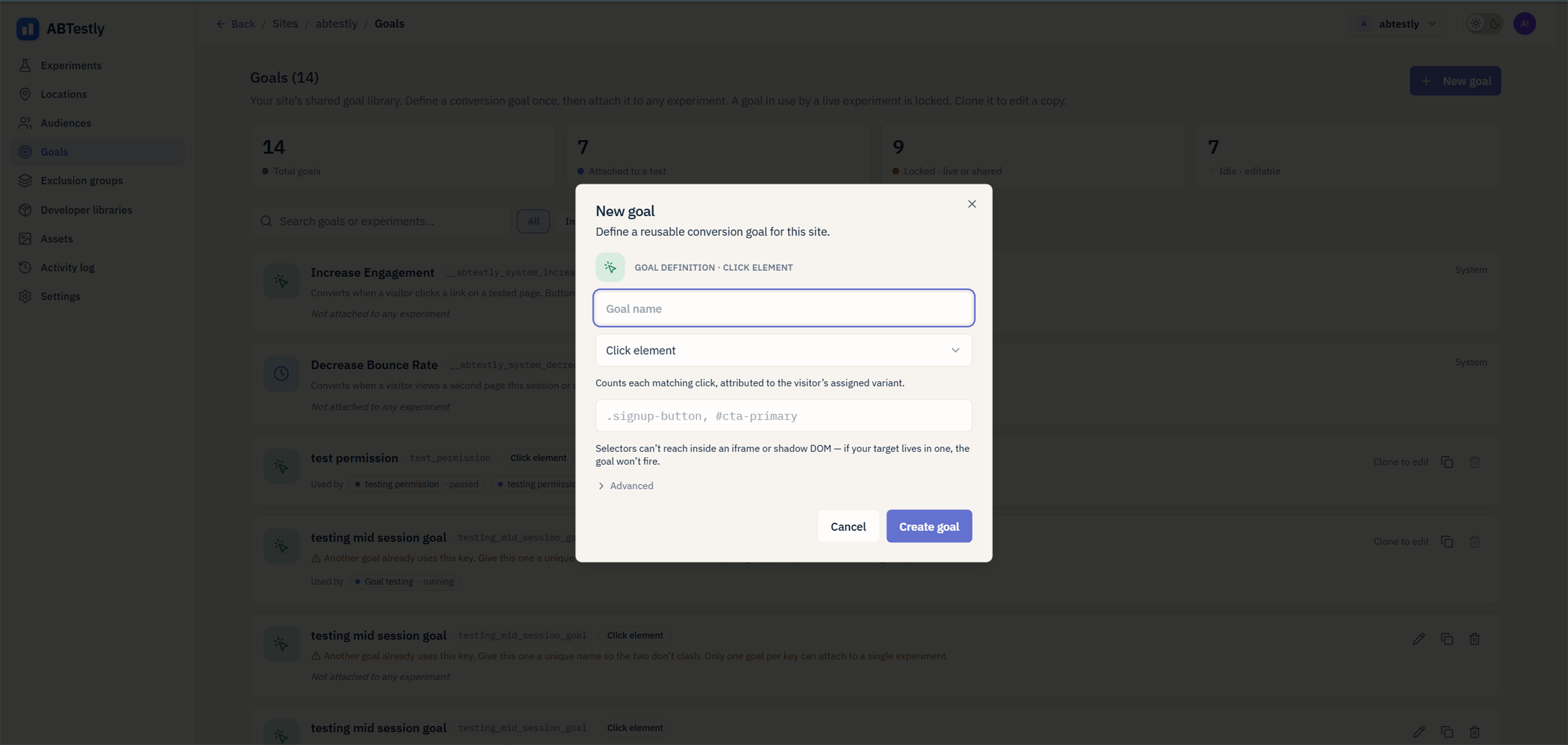
Goal builder, pick a type, name it, define the fire condition.
Click
Fires when a visitor clicks an element matching a CSS selector. Give it: a CSS selector..hero-cta, #signup-btn, [data-track="upgrade"].
Each click goal installs its own capturing listener on document and
matches with closest(), so a click on a <span> inside a <button>
still matches button.
On a site with SPA support, the fire is gated on the route: a click
that happens after a soft navigation to a page the experiment does not
target does not count.
Page visit
Fires when a visitor loads (or in SPA mode, navigates to) a URL matching a rule. Give it: one operator and one pattern. The operator isURL equals, URL contains, URL starts with, or
URL matches regex, and the pattern is tested against the full page
URL including protocol and query string. This is a simpler builder
than the multi rule one Locations use, so a contains pattern such
as /thank-you is the usual shape.
For the goal to fire on a second page, that page has to be inside the
experiment’s Location. See Goal health for what
happens when it is not.
Form submit
Fires on a nativesubmit event, captured at the document before any
of your own handlers run.
Give it: a CSS selector for the form. #signup-form,
.newsletter form. Leave it blank to count any form on the page.
Scroll depth
Fires when a visitor scrolls past a percentage of the page. Give it: one of 25, 50, 75, 90 or 100 percent. There is no element selector, and no visibility observer. ABTestly listens forscroll
and compares scroll position plus viewport height against the
document height.
Because the comparison uses total document height, a page that grows
after load (infinite scroll, lazy loaded sections) moves the
threshold. Prefer a lower percentage on pages like that.
Engaged session
Fires when the visitor has been on the page for 30 seconds and has clicked at least once. Both conditions, in either order. Give it: nothing. This type has no configuration. The 30 second threshold is fixed and the click requirement is not optional. The 30 second timer is wall clock. It keeps running while the tab is in the background, so a visitor who opens your page in a background tab, leaves it for a minute, comes back and clicks qualifies.Revenue
Fires when your code callsabtestly.trackGoal('key', valueOrOpts)
with a numeric value.
Give it: a goal key. The value comes from the call.
Revenue is summed across fires, not first only, and deduplicated
by orderId so a retried beacon does not double count.
Custom event
Fires when your code callsabtestly.trackGoal('key'), no value.
Give it: a goal key.
Use this for anything that does not fit the other six: a modal opened,
a step completed, a video watched to 50 %, a form your backend
actually accepted. Anything you can detect in JavaScript can call
trackGoal.
Which type for which thing
Selector tips
For Click and Form submit goals, the selector should be as specific as you can make it without over fitting..hero-cta is better than
button (matches everything on the page). [data-track="upgrade"]
is better than .hero-cta if your team already stamps tracking
attributes.
The goal builder runs a live selector analysis while you type, so you
can catch a selector that matches nothing, or matches far too much,
before you save.