

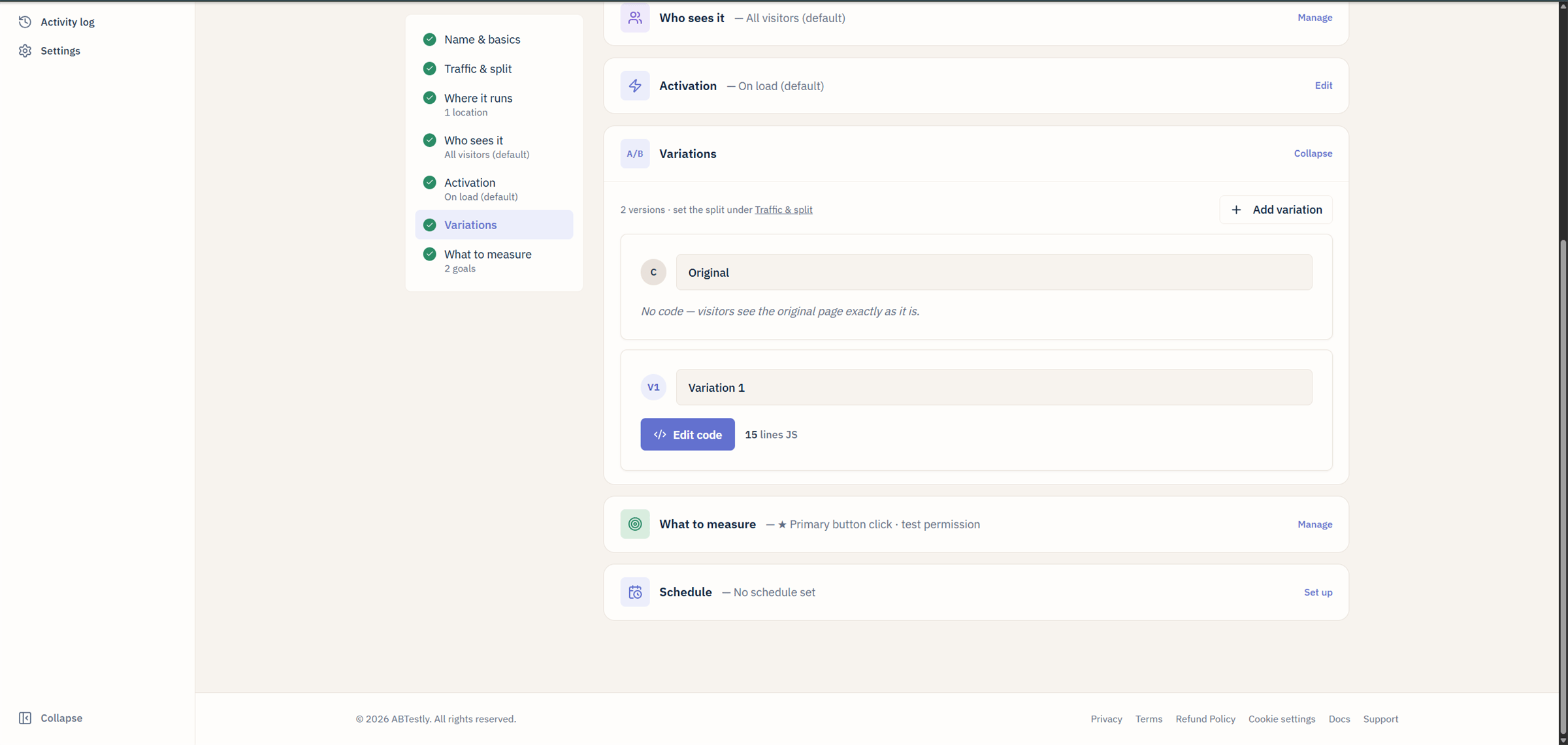
The Variations section of the editor. Each variant opens its own JS and CSS panes from Edit code.
- A name and a short key, the key is what shows up in reports
and in
ABTESTLY_VARIANT_KEYat runtime. - A weight, the share of traffic in the split.
- The change itself. In an A/B test that is JavaScript, CSS, or both. In a Split URL test it is a redirect URL instead, and the code editors are not offered. Which of the two you get is decided by the test type you picked when the experiment was created, not per variation.
Adding a variant
Under Variations, click Add variation. New variants come in at Even split by default. Delete a variant with the trash icon. Variant weights are stored as basis points internally (10000 = 100 %). The editor shows percentages. Auto-even keeps the weights balanced as you add or remove variants, uncheck it to lock a custom split.Writing variant code
Each variant has a JS pane and a CSS pane, both lazy-loaded to keep the editor light. Cmd/Ctrl+S saves without leaving the editor. Fullscreen opens for either pane. Before you save, Review changes in the editor header shows your unsaved edits next to the saved code, and you can save straight from that comparison. See Review changes. Every save that changes a variant’s code or libraries is kept as a version you can compare or restore from History, above the code. See Code history. The editor is Monaco, VS Code’s editor, with syntax checking that runs on every change. If the JavaScript will not parse, the editor disables Save until you fix it.Three separate things in ABTestly read your code for syntax errors,
and they do not all behave the same way. If you have seen a syntax
error reported without anything being blocked, see
which check blocks what.
Variant code is executed inside a function. See
runtime bindings for what globals are in
scope (spoiler:
ABTESTLY_EXP_KEY, ABTESTLY_EXP_ID, and
ABTESTLY_VARIANT_KEY).Anatomy of a variant JS function
waitFor and a mutation. The onCleanup is
required only if you turned on SPA support and the change would carry
into a route that does not match the test.
Redirect variants
Available only when the experiment was created as a Split URL test. The type is chosen in Name and basics at creation and is fixed afterwards, so you cannot add a redirect to an existing A/B test; clone it and pick Split URL on the clone. In a Split URL test, set each treated variation’s Redirect URL to the alternate page. On assignment the snippet dispatches the exposure event and then sends the browser to that URL. Original stays put. A redirect variation carries no JS or CSS, and saving one that does is refused. Below the variations sits a related choice, Redirect returning visitors, which decides whether someone already sent to the variation is redirected again every time they reach the original page, or allowed through after the first redirect. It applies to the whole experiment, not to one variation. The default keeps redirecting them, which is what keeps their experience consistent, and it means they cannot get back to the original page while the test runs. See Redirect tests before changing it: the alternative weakens your results, and it frees a visitor per publish rather than once for good. See Redirect tests for how the exposure is delivered and what that means for your counts. Use redirect variants when:- The two treatments live on different URLs already (e.g. a real A/B between two landing pages).
- Your variant is heavy enough that a client-side rewrite would flicker.
Lints and warnings
The editor runs a handful of lint checks and shows them inline before save:- Syntax errors, these disable Save in the editor.
- Reserved-name collisions, variables you name
document,window,abtestly, etc. - Dev-hook advisories, you called
abtestly.dev.apply(); that will silently no-op in production. - Size warnings, there are two separate caps. A single variant’s JavaScript or CSS is capped at 500,000 characters and the save is refused above that. Separately, your whole site’s published config has a gzipped size budget that depends on your plan, and a publish that would exceed it is refused.
Editor settings
Cog icon on the editor pane opens the settings modal. Persists in localStorage, they follow you across experiments.- Theme, a handful of Shiki themes, light and dark.
- Font size.
- Word wrap.
- Ligatures, on by default if your font supports them.
Editor freezes on running tests
Once a running experiment has collected 1,000 visitors since its last reset, the variant code freezes. Attempting to edit shows a lock. This prevents accidentally changing the treatment mid-flight and inflating your effect size. If you legitimately need to change a running variant, you found a bug in your code, say, either:- Pause the experiment, edit, resume. The clock resets on the results page and you get a new epoch.
- Reset data. Discards the run so far and starts fresh with the updated code.