

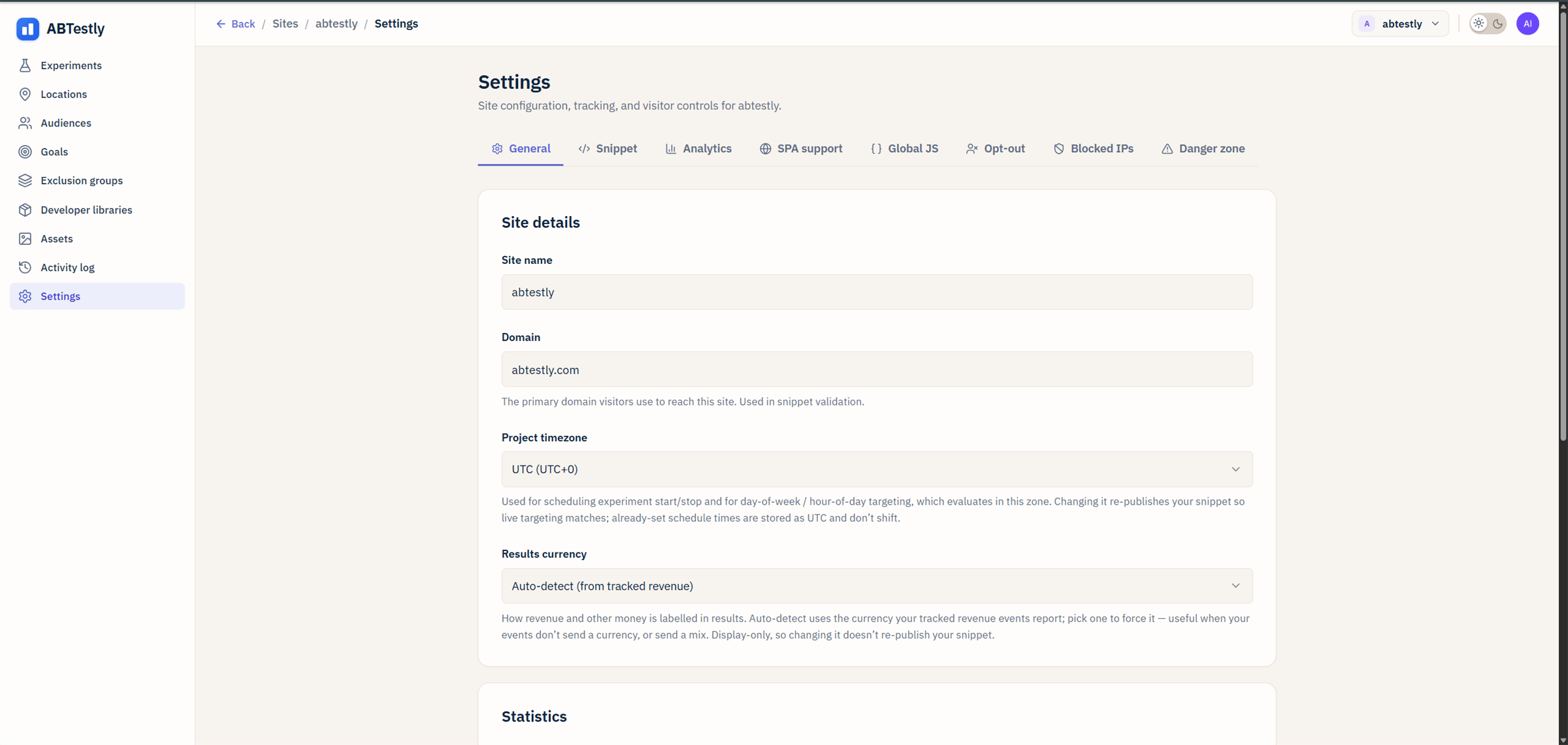
General settings, site name, domain, timezone, currency, default statistics engine.
Site name
The human name used in the dashboard, the sites list, and outbound emails. Change it any time; it does not affect any URL or the snippet.Domain
The registered domain the site’s snippet is keyed to. Cannot be edited in place, if you need to move a site to a different domain, add a new site and install a fresh snippet there.Project timezone
The one setting that quietly powers a lot of things:- Day-of-week and hour-of-day audience rules.
- The clock the scheduler reads for start and end times.
- The date range picker on the results page.
- Timestamps in the activity log.
Currency
Reporting currency for revenue metrics on this site. Auto-detected from your workspace on first setup; adjustable to any ISO currency. ABTestly does not do currency conversion. If your goals fire with values in multiple currencies, convert to one currency in your own code before firing. See revenue metrics.Default statistics engine
Every new experiment on this site starts with this engine picked. Each experiment can override it in the editor. Options:- Frequentist (
freq-z-1) - Sequential (
seq-bern-betamix-union-1) - Bayesian (
bayes-beta-1)
Default confidence level
The threshold the primary verdict uses to call a winner. Standard values: 90 %, 95 % (default), 99 %. Only applies to frequentist and sequential engines, Bayesian reports probability directly and does not have a “threshold” concept.Multiplicity correction
Whether the results page adjusts confidence when the experiment has more than one goal. Options:- None, raw p-values per goal, no adjustment.
- Bonferroni, divide the threshold by the number of goals. Simple and conservative.
- Benjamini–Hochberg, controls false discovery rate. Better power than Bonferroni for tests with several goals.
What does not live here
- Snippet code and anti-flicker, under Settings → Snippet.
- SPA route detection, under Settings → SPA support.
- Analytics dataLayer fan-out, under Settings → Analytics.
- Global JavaScript that runs on every page, under Settings → Global JS.
- The opt-out URL you share with visitors, under Settings → Opt-out.
- Blocked IPs, under Settings → Blocked IPs.
- Delete the site, under Settings → Danger zone.