

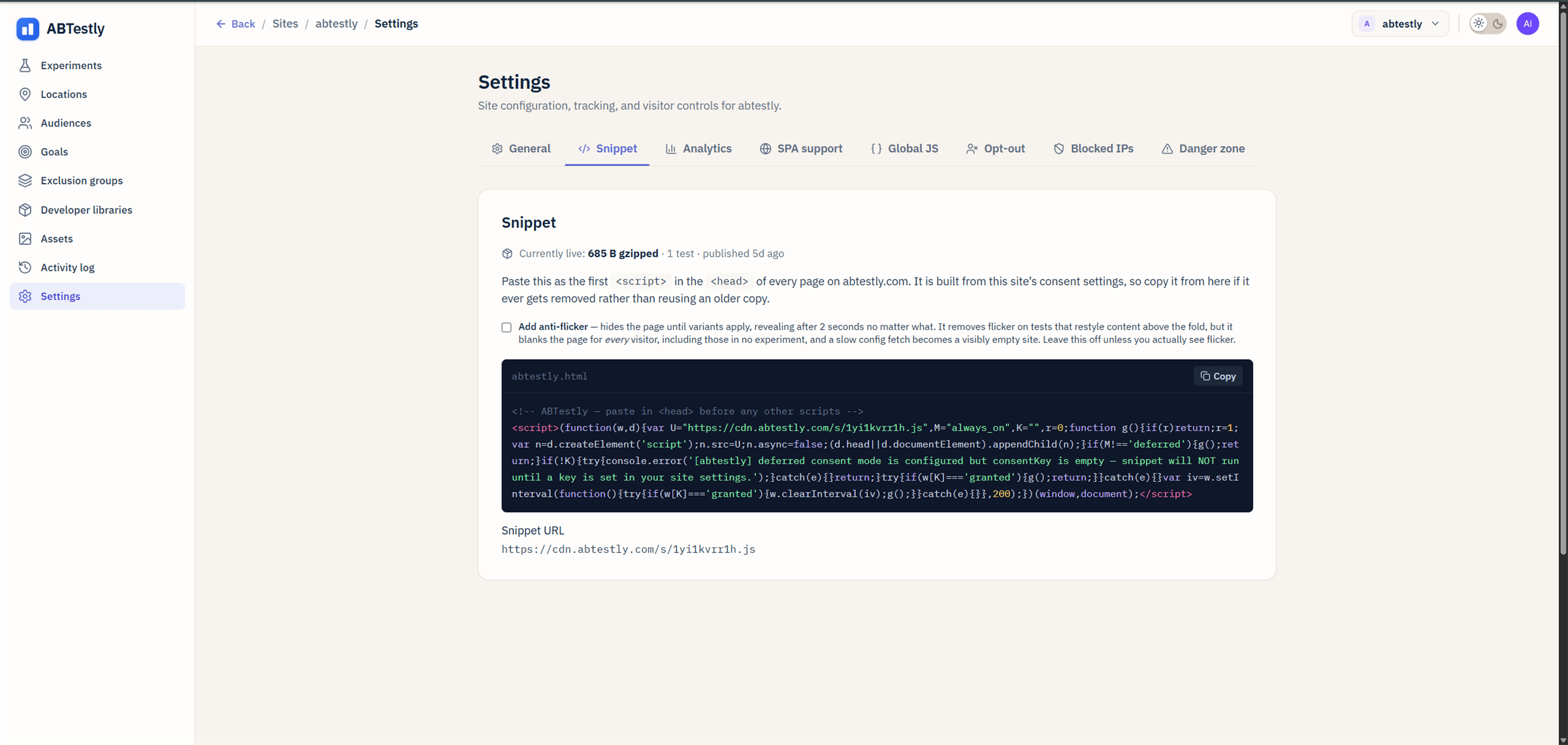
Snippet panel, copy from here, do not reuse an older copy.
What the panel shows
- The snippet code, a
<script>tag with your site’s config baked in. - Gzipped weight, how big the snippet is on the wire.
- Last published, the last time the site’s config was published (which is when the snippet contents might have changed).
- Anti-flicker checkbox, see Snippet install.
- Snippet URL,
https://cdn.abtestly.com/s/<snippetKey>.js.
Why re-copy from the panel, not from an old file
The snippet is built from your site’s consent settings. If you change consent mode (from “always on” to “deferred”, or set aconsentKey), the snippet you would paste is different from the
one already on your site. You have to re-paste for the change to
apply.
The panel is the source of truth. Copy from here whenever you make a
consent, opt-out, or snippet-flag change.
Reset the snippet key
There is no reset button. ThesnippetKey is stable per site, that
is what makes it possible for us to invalidate cache and roll out new
runtime versions without breaking your install.
If you have a genuine reason to rotate the key (a leaked snippet
being embedded elsewhere, say), email support.
Where else to look
- Install guide, where to put the snippet, why first-in-head, anti-flicker tradeoff.
- Verify install, how to confirm the snippet is firing.
- Snippet not firing. diagnostic ladder for the most common install issue.