How we count results
The results table looks simple — five columns and a verdict — but a lot of the trust you place in an A/B test depends on what those numbers actually mean. This page is the definitive reference: what each column is, exactly how it’s calculated, and why we made the choices we did. If you’ve ever wondered “would this visitor have been counted again if they clicked twice?”, this is the answer.The columns
| Column | What it counts |
|---|---|
| Visitors | Distinct people bucketed into this variant during the date range |
| Conversions | Distinct visitors who triggered the goal at least once |
| Rate | Conversions ÷ Visitors, expressed as a percentage |
| Lift vs control | Relative improvement in rate over the control variant |
| Confidence | How sure we are the observed lift isn’t just noise |
Visitors
A “visitor” is a distinct person bucketed into the experiment, regardless of how many times they came back. We identify a visitor with a long-lived first-party cookie (__abtestly_uid), valid for one year by default. So a
visitor who comes back tomorrow and the following week still counts as one
visitor, in their original variant.
This is the denominator for the conversion-rate math, so it matters a
lot that it’s clean:
- We never re-bucket a visitor mid-session. Once you’re in Variant B, you stay in Variant B for the cookie’s lifetime — even if the test’s traffic allocation changes.
- We never double-count a visitor across pageviews or sessions.
- Mid-session bucketing on SPAs (a visitor lands on
/and navigates to a tested page) counts the visitor exactly once, on the page they first became eligible. See Single-page apps → Mid-session bucketing.
Conversions
This is the column that surprises people, and it’s the most important to understand. Conversions = distinct visitors who triggered the goal at least once. A visitor who clicks “Add to basket” three times in the same session still counts as one conversion. Same for opening the page and converting again tomorrow — same visitor, same variant, still one conversion.Why we dedupe
There are three reasons, in order of importance:- Conversion rate = Bernoulli trial. The statistical machinery that powers the Rate, Lift CI, and Confidence columns assumes each visitor has a single binary outcome — they either converted or they didn’t. Counting one visitor’s three clicks as three separate events violates the independence assumption and dramatically inflates significance. With raw events, you’d see false “winners” everywhere because the math treats one excited customer’s repeated clicks as three independent trials.
- It answers the question you actually have. “Does Variant B make more people add to basket?” is what you care about. “Does Variant B make people who would have added anyway add more times?” is a different (much weaker) question — and answering it accidentally is a great way to ship variants that don’t move the business.
- Conversion rates would exceed 100%. Without dedupe, 3 visitors making 7 cart-adds gives a “rate” of 233%, which makes no statistical sense and breaks every standard report.
“But I want to know how many times people clicked!” Fair — that’s a
useful question, just not the one this column answers. Today, the best
place to look at raw event counts is your GA4 export — every goal
fires an
experience_impression event, and GA4 counts events not users.
See the GA4 export recipe.
A future ABTestly release will add a per-goal toggle for “count uniques
vs. count total events” with the right statistical model for each (see
What’s coming).How dedup works under the hood
Two layers:- In the snippet (per-tab dedup). When a goal fires, the snippet
records the
(experimentId, goalId)pair in a Set scoped to the tab’s lifetime. Subsequent fires for the same pair are silent no-ops — no beacon, nothing to count. - In the results query (per-visitor dedup). Even if a visitor opens your site in two tabs and somehow triggers the goal in both, the aggregation that produces the “Conversions” number counts distinct visitor IDs, not total goal events. So the second tab’s beacon doesn’t double-count them.
Rate
Rate = Conversions ÷ Visitors, shown as a percentage.
Because Conversions is at most Visitors (each visitor counts ≤ 1×),
Rate is always between 0% and 100%. It’s the conversion rate of this
variant during the report’s date range.
A few edge cases worth knowing:
- 0 visitors → Rate shows as 0.00%. Nothing to divide.
- Rate uses the date range you’ve selected, not the test’s full lifetime. If you narrow to last 7 days, both numerator and denominator rescope to that window.
- Filters apply consistently. When you filter by segment (device, country, traffic source, etc.) both Conversions and Visitors are restricted to that segment, so the rate is for that segment specifically.
Lift vs control
The relative improvement of this variant’s rate over the control’s.Lift = (variant_rate − control_rate) ÷ control_rate × 100%
So if control converts at 4% and Variant B converts at 5%, the lift is
+25% — not +1%. A relative number gives a more honest sense of
business impact: a 25% lift in checkout rate is huge, even though
“5% vs 4%” sounds small.
We also show the 95% confidence interval around the lift —
+25% (95% CI: +12% to +38%). The interval is critical because the
point estimate (the +25%) is the most likely value, not a guarantee.
A wide CI means “this lift could be much smaller or much larger than the
headline suggests”; a tight CI means “we’re pretty sure it’s near
+25%.” A CI that crosses zero (e.g., −3% to +9%) is the strongest
indicator that the result isn’t yet trustworthy.
CIs are computed using the standard normal approximation for
proportions, applicable because Conversions / Visitors is a binomial
quantity. The math is:
Confidence
How sure we are the observed lift isn’t due to chance.Confidence = 1 − p-value, expressed as a percentage. So 95%
confidence means “if there were truly no difference between the
variants, we’d see a result this extreme or more only 5% of the
time.”
We use a two-proportion z-test under the null hypothesis of
“no difference between variants.” Same proven test that powers
significance calls at every major A/B platform.
The verdict banner at the top of the results card applies the
following thresholds:
- ≥ 95% confidence + positive lift → “Likely winner — Variant X”
- ≥ 95% confidence + negative lift → “Likely loser — Variant X”
- < 95% confidence → “Still collecting”
Why we don’t tell you you’ve won at 95% on day three
The most common way an A/B test lies to you isn’t a bug. It’s you looking at it too often. If you watch a running test every day and stop the moment confidence crosses 95%, you’re not really running a 95% test anymore. Each peek is another roll of the dice. Peek often enough and you’ll find a “winner” that was never there. The false-positive rate climbs into the 30–40% range with daily checks — most CRO teams that swear by “we wait for 95%” are actually shipping coin flips three times out of ten and never noticing. The math has a name: the multiple comparisons problem. Most practitioners just call it peeking. Every major A/B platform’s results page makes the trap easy to walk into. So does ours. Confidence ticks up day by day, and any 95% reading you spot in the wild has been “checked” plenty of times before you decided to ship.What we do about it
The verdict banner stays on “Still collecting” until confidence crosses 95%. That’s the floor, not the ceiling. Crossing 95% does not mean the test is done. It means the numbers passed a single statistical check, and a single check was the whole point — not a daily one. What we recommend, in order:- Pre-calculate your sample size before you start. Our free calculator takes a baseline conversion rate and the minimum lift you’d care to detect, and tells you how many visitors per variant you need.
- Run the test to that number. Confidence might sit at 60% one day and 96% the next on the way there. Ignore both. Collect the visitors you planned to collect.
- Read the verdict once. When you hit your sample size, look at the table. That reading is the one that counts.
Sample ratio mismatch (SRM)
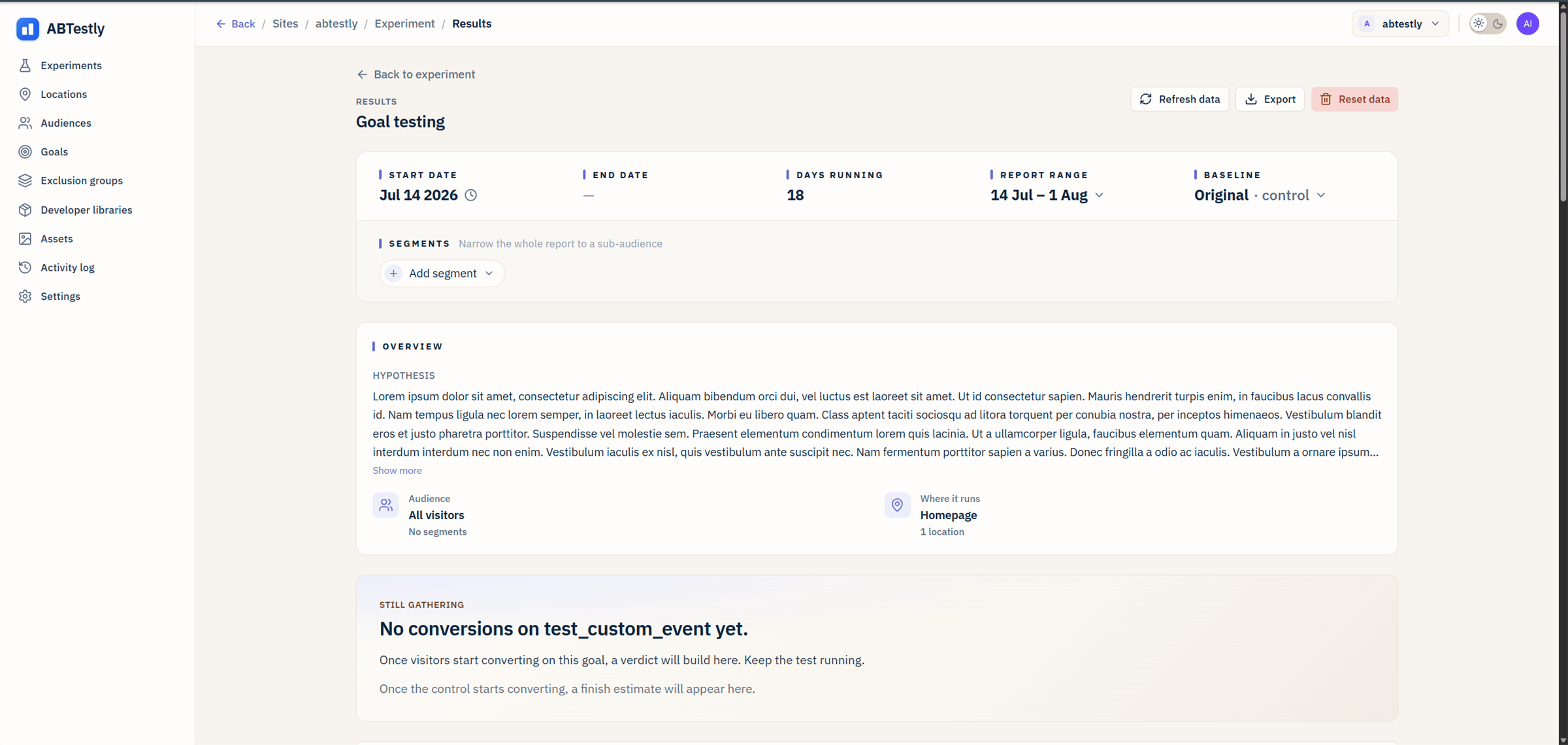
The Verdict banner sometimes shows a yellow warning: “Traffic split looks off.” This is the SRM check — a chi-square test that compares the actual variant split (e.g., 51/49) against your configured split (e.g., 50/50). When SRM fires, the results numbers themselves are unreliable — not because the test is broken, but because something is systematically filtering out one arm before they’re counted. Common causes: a variant that errors out on a specific browser, a redirect chain that drops some visitors, a consent mode mismatch. See the full guide at SRM. When you see the warning, fix the imbalance before trusting the lift number.Why our numbers differ from GA4’s
The most common confusion. Two systems, two methodologies:- ABTestly counts distinct test participants — each visitor once per experiment.
- GA4 counts events —
experience_impressionfires every time a visitor sees an experiment on a qualifying page view. A single visitor on five eligible pages = 5 impressions in GA4, 1 visitor in ABTestly.
What’s coming
The methodology above is what powers your results today. A few improvements are on the roadmap:- Per-goal “unique vs. total events” toggle. For goals where total event count is the right thing to measure (revenue, purchases, video views, upsells) — pick “total” at goal setup, get the right statistical model (Poisson / continuous t-test) applied automatically. Coming July.
- Per-variant confidence intervals on absolute rate. Today we show CIs on the lift. We’ll add CIs on each variant’s own conversion rate too, so you can see “Variant B is converting at 4.8% (95% CI: 4.2%–5.4%)” not just the comparison.
- Sequential testing option. Today we use a fixed-horizon test (declare significance once and you’re done). A sequential test (mSPRT or similar) would let you peek without inflating false-positive rate.