> ## Documentation Index
> Fetch the complete documentation index at: https://docs.abtestly.com/llms.txt
> Use this file to discover all available pages before exploring further.
# Saved Locations & Audiences
> Define the rules once, attach them to many experiments. Edit in one place and every experiment picks up the change.
You can define URL rules and visitor rules inline on every experiment.
For a first test, inline is fine. As soon as you have more than one
test that targets the same set of pages or the same audience, saving
them starts paying off.
## Where they live
* **Site → Locations**, reusable URL rule sets.
* **Site → Audiences**, reusable visitor rule sets.
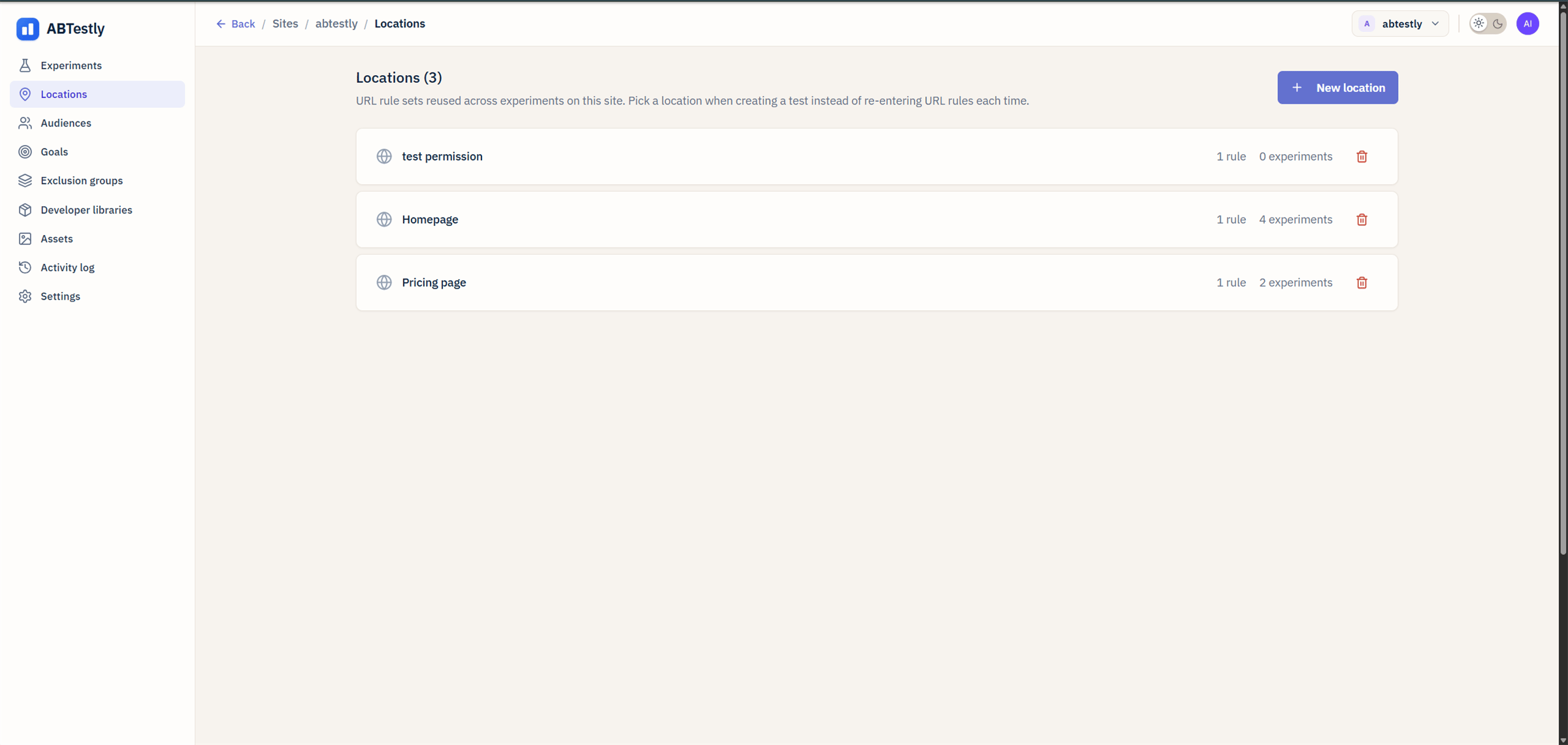 Each is a table with a name, a rule count, and the experiments
currently attached.
## Creating one
Under the tab, **New**. Give it a name that reads clearly on an
experiment's summary, "Product detail pages", "US mobile visitors".
and add rules with the same builder used inside the experiment editor.
Rules combine with AND. To combine with OR, create two saved lists
and attach both to the experiment; the experiment matches if
**either** matches.
## Attaching one
Inside an experiment, under **Where it runs** or **Who sees it**, use
the picker instead of writing rules inline. The picker lists saved
Locations or Audiences on this site.
An experiment can attach more than one saved list. It can also mix
saved and inline rules, attach the saved list, then add an extra
inline rule for something specific to this test.
## Editing a saved list
Under **Site → Locations** (or Audiences), click a row to open the
editor. Changing the rules changes them for every attached experiment
on the next config publish.
Because the change affects many experiments at once, editing a saved
list requires the **Edit locations** (or **Edit audiences**) permission.
See [permissions catalog](/team/permissions-catalog).
## Deleting
Deletion is refused (`409 in_use`) while any experiment references the
list. Detach from the experiments first, then delete.
## Naming
A saved list's name shows up on the experiment's summary line, so make
it explicit. "Product detail" is fine; "location-1" is not.
## When *not* to save
* **One-off test.** If you know this is a single-shot test on a URL you
will never target again, inline rules are less overhead.
* **You need per-experiment tweaks.** If every test on the "pricing"
page needs slightly different rules, one includes the trial page,
one excludes it, an inline rule per experiment is clearer than a
saved list plus an override.
## The two-way ownership
A saved list is a **reference**, not a snapshot. If you edit the list,
every attached experiment picks up the change on the next publish.
Sometimes you specifically want the opposite, you want the experiment
to freeze the rules at the moment it was set up. Two options:
* **Detach the saved list and copy the rules inline** on the specific
experiment. That freezes them.
* **Clone the saved list**, edit the copy, and attach the copy to the
new experiment. That gives you a divergent branch without touching
the original.
Either is fine. Pick the one your team finds easier to read six months
later.
Each is a table with a name, a rule count, and the experiments
currently attached.
## Creating one
Under the tab, **New**. Give it a name that reads clearly on an
experiment's summary, "Product detail pages", "US mobile visitors".
and add rules with the same builder used inside the experiment editor.
Rules combine with AND. To combine with OR, create two saved lists
and attach both to the experiment; the experiment matches if
**either** matches.
## Attaching one
Inside an experiment, under **Where it runs** or **Who sees it**, use
the picker instead of writing rules inline. The picker lists saved
Locations or Audiences on this site.
An experiment can attach more than one saved list. It can also mix
saved and inline rules, attach the saved list, then add an extra
inline rule for something specific to this test.
## Editing a saved list
Under **Site → Locations** (or Audiences), click a row to open the
editor. Changing the rules changes them for every attached experiment
on the next config publish.
Because the change affects many experiments at once, editing a saved
list requires the **Edit locations** (or **Edit audiences**) permission.
See [permissions catalog](/team/permissions-catalog).
## Deleting
Deletion is refused (`409 in_use`) while any experiment references the
list. Detach from the experiments first, then delete.
## Naming
A saved list's name shows up on the experiment's summary line, so make
it explicit. "Product detail" is fine; "location-1" is not.
## When *not* to save
* **One-off test.** If you know this is a single-shot test on a URL you
will never target again, inline rules are less overhead.
* **You need per-experiment tweaks.** If every test on the "pricing"
page needs slightly different rules, one includes the trial page,
one excludes it, an inline rule per experiment is clearer than a
saved list plus an override.
## The two-way ownership
A saved list is a **reference**, not a snapshot. If you edit the list,
every attached experiment picks up the change on the next publish.
Sometimes you specifically want the opposite, you want the experiment
to freeze the rules at the moment it was set up. Two options:
* **Detach the saved list and copy the rules inline** on the specific
experiment. That freezes them.
* **Clone the saved list**, edit the copy, and attach the copy to the
new experiment. That gives you a divergent branch without touching
the original.
Either is fine. Pick the one your team finds easier to read six months
later.