> ## Documentation Index
> Fetch the complete documentation index at: https://docs.abtestly.com/llms.txt
> Use this file to discover all available pages before exploring further.
# SPA support panel
> Turn on route detection for single-page apps. Configure apply, cleanup, and waitFor templates that variants inherit.
**Site → Settings → SPA support.** Publish-gated (needs the SPA
permission on this site, which requires Publish).
For a traditional multi-page site, leave this off. Route changes are
full page loads and the snippet re-evaluates from scratch.
For a single-page app, turn it on. The snippet then treats SPA
navigations as new pages, re-evaluates targeting, and cycles
variants' apply/cleanup hooks.
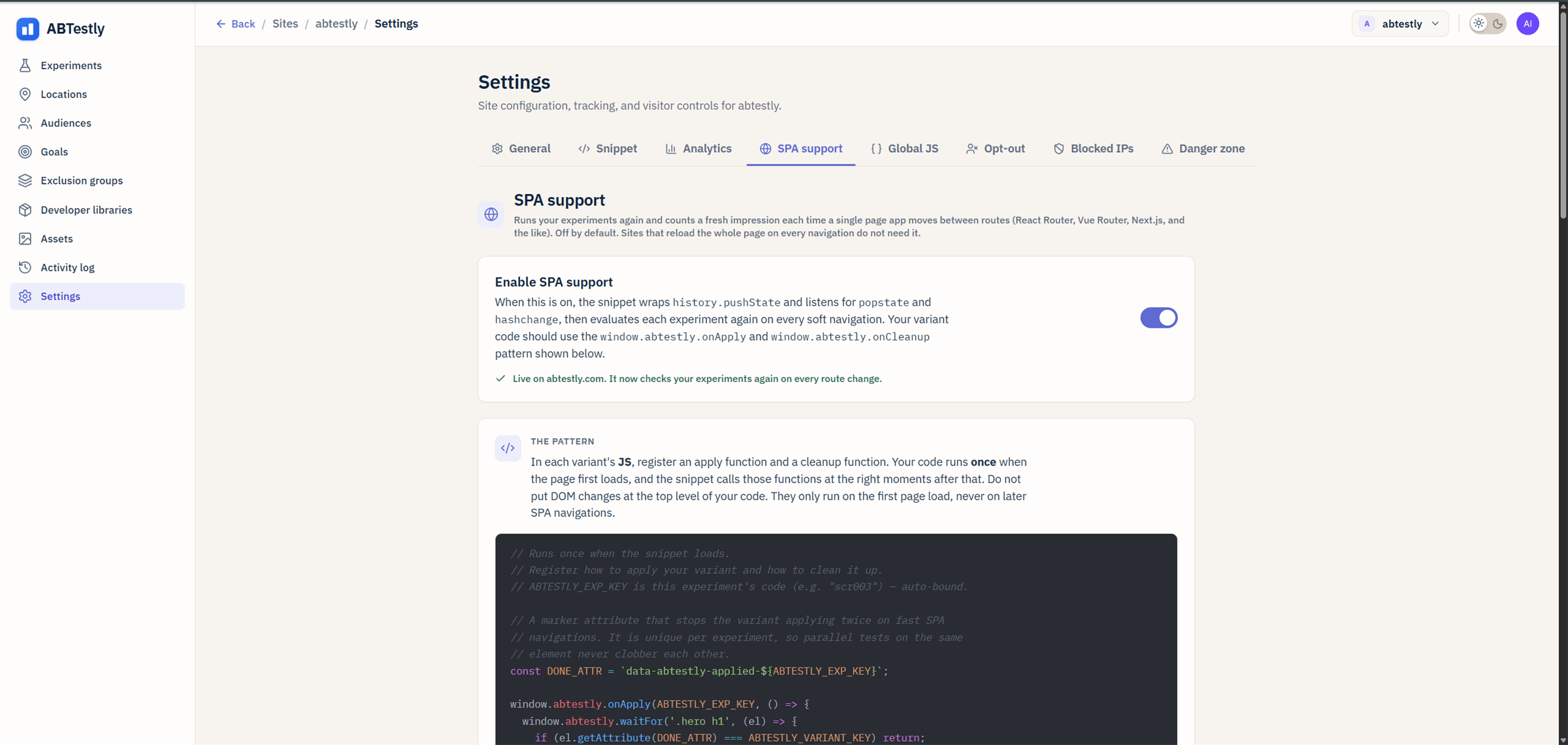 ## The toggle
**Enable SPA route detection.** When on:
* The snippet wraps `history.pushState` and `history.replaceState`.
* Listens to `popstate` and `hashchange`.
* On a route change, cleanup runs for experiments that no longer
match, apply runs for experiments that do, and page-visit goals
are re-evaluated.
See [SPA lifecycle](/developer/spa-lifecycle) for the full flow.
## Templates
Below the toggle are three template blocks. These are code snippets
the editor uses when you add a new variant. They are just defaults;
each variant can override.
* **Apply template.** The code inserted into a new variant's `onApply`
handler. Defaults to a `waitFor` boilerplate.
* **Cleanup template.** The code for `onCleanup`. Defaults to
suggesting undo-your-mutations.
* **`waitFor` template.** Boilerplate for the polling helper.
The idea is that your team's variants can share a standard shape
without every author retyping it. Change the templates once here
and new variants across the site pick them up.
## When on vs off
Turn on:
* React, Vue, Svelte, Angular apps.
* Any site where clicking a link stays on the same page and rewrites
content client-side.
* A traditional site with just a few SPA-shaped sections (a modal
wizard, a stepper), also fine. The overhead of the wrap is
negligible.
Leave off:
* Full page loads on every navigation (WordPress, Shopify default,
most static sites).
* Sites where every anchor click causes an actual navigation.
Turning it on when your site does not need it is not harmful, the
wrap is negligible. Leaving it off on an SPA is more harmful: page-visit
goals and route-dependent targeting will not fire correctly.
## What the templates do not do
* **They do not run automatically.** A variant is still responsible
for defining its own `onApply` and `onCleanup`. The templates only
seed the editor.
* **They do not centralize behavior.** If you want site-wide code
that runs on every route change, use [Global JS](/settings/global-js)
and hook `abtestly:routechange`.
## The toggle
**Enable SPA route detection.** When on:
* The snippet wraps `history.pushState` and `history.replaceState`.
* Listens to `popstate` and `hashchange`.
* On a route change, cleanup runs for experiments that no longer
match, apply runs for experiments that do, and page-visit goals
are re-evaluated.
See [SPA lifecycle](/developer/spa-lifecycle) for the full flow.
## Templates
Below the toggle are three template blocks. These are code snippets
the editor uses when you add a new variant. They are just defaults;
each variant can override.
* **Apply template.** The code inserted into a new variant's `onApply`
handler. Defaults to a `waitFor` boilerplate.
* **Cleanup template.** The code for `onCleanup`. Defaults to
suggesting undo-your-mutations.
* **`waitFor` template.** Boilerplate for the polling helper.
The idea is that your team's variants can share a standard shape
without every author retyping it. Change the templates once here
and new variants across the site pick them up.
## When on vs off
Turn on:
* React, Vue, Svelte, Angular apps.
* Any site where clicking a link stays on the same page and rewrites
content client-side.
* A traditional site with just a few SPA-shaped sections (a modal
wizard, a stepper), also fine. The overhead of the wrap is
negligible.
Leave off:
* Full page loads on every navigation (WordPress, Shopify default,
most static sites).
* Sites where every anchor click causes an actual navigation.
Turning it on when your site does not need it is not harmful, the
wrap is negligible. Leaving it off on an SPA is more harmful: page-visit
goals and route-dependent targeting will not fire correctly.
## What the templates do not do
* **They do not run automatically.** A variant is still responsible
for defining its own `onApply` and `onCleanup`. The templates only
seed the editor.
* **They do not centralize behavior.** If you want site-wide code
that runs on every route change, use [Global JS](/settings/global-js)
and hook `abtestly:routechange`.