> ## Documentation Index
> Fetch the complete documentation index at: https://docs.abtestly.com/llms.txt
> Use this file to discover all available pages before exploring further.

# Snippet panel

> The install snippet you paste on your site. Weight, last-published time, anti-flicker checkbox.

**Site → Settings → Snippet.** The panel shows the snippet you are
supposed to paste on the site, plus a few pieces of context.
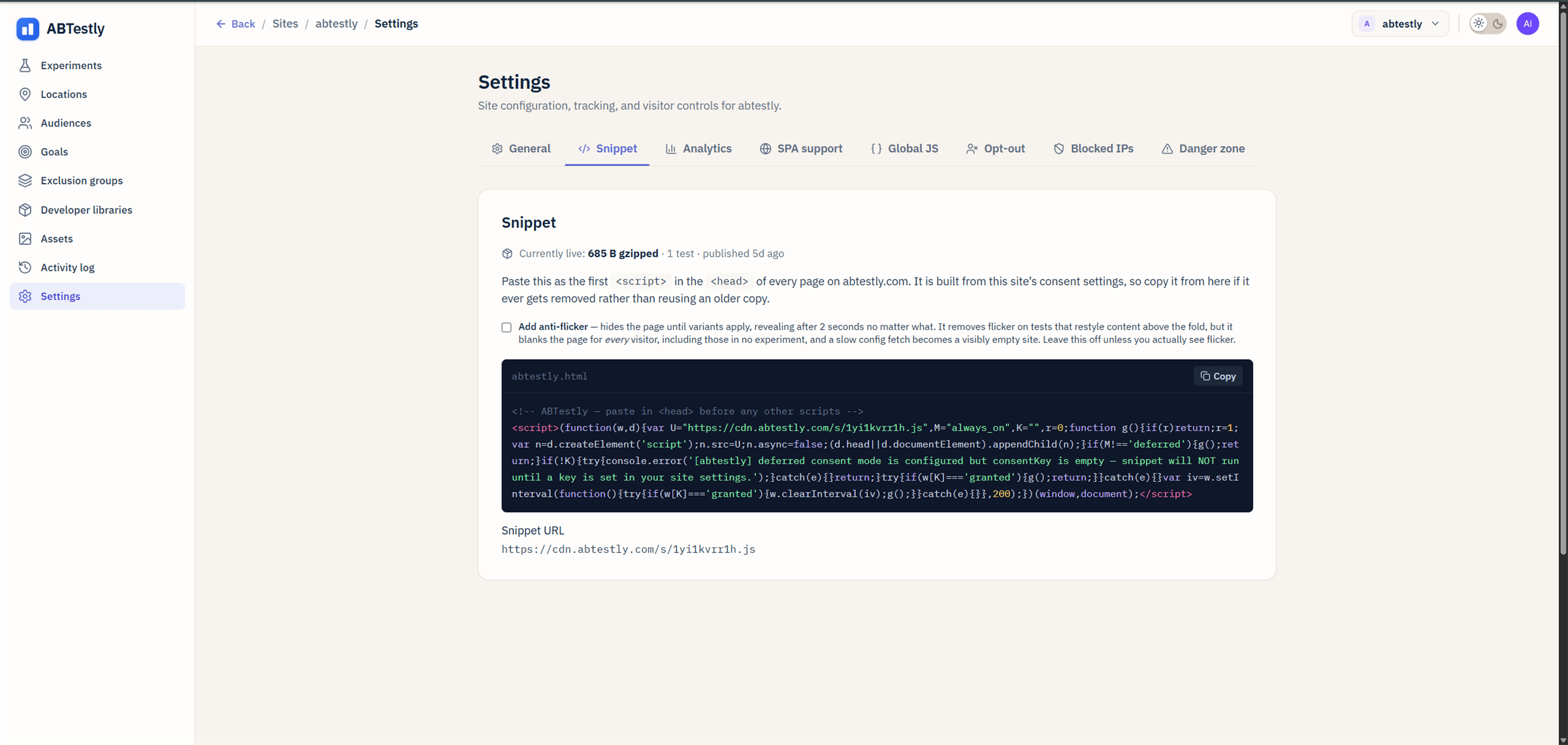
<Frame caption="Snippet panel, copy from here, do not reuse an older copy.">
  <img src="https://mintcdn.com/abtestly/TJFfWsOMn4uzK6iy/images/settings-snippet.png?fit=max&auto=format&n=TJFfWsOMn4uzK6iy&q=85&s=14bb3aaf9cb1a61c76224af4f0690ed0" alt="Snippet panel" width="2400" height="1141" data-path="images/settings-snippet.png" />
</Frame>

## What the panel shows

* **The snippet code**, a `<script>` tag with your site's config
  baked in.
* **Gzipped weight**, how big the snippet is on the wire.
* **Last published**, the last time the site's config was published
  (which is when the snippet contents might have changed).
* **Anti-flicker checkbox**, see [Snippet install](/install/snippet).
* **Snippet URL**, `https://cdn.abtestly.com/s/<snippetKey>.js`.

## Why re-copy from the panel, not from an old file

The snippet is **built from your site's consent settings**. If you
change consent mode (from "always on" to "deferred", or set a
`consentKey`), the snippet you would paste is different from the
one already on your site. You have to re-paste for the change to
apply.

The panel is the source of truth. Copy from here whenever you make a
consent, opt-out, or snippet-flag change.

## Reset the snippet key

There is no reset button. The `snippetKey` is stable per site, that
is what makes it possible for us to invalidate cache and roll out new
runtime versions without breaking your install.

If you have a genuine reason to rotate the key (a leaked snippet
being embedded elsewhere, say), email support.

## Where else to look

* [Install guide](/install/snippet), where to put the snippet, why
  first-in-head, anti-flicker tradeoff.
* [Verify install](/install/verify), how to confirm the snippet is
  firing.
* [Snippet not firing](/troubleshooting/snippet-not-firing).
  diagnostic ladder for the most common install issue.
