> ## Documentation Index
> Fetch the complete documentation index at: https://docs.abtestly.com/llms.txt
> Use this file to discover all available pages before exploring further.
# QA overlay
> An on-page debug panel that shows, live, everything the snippet is doing. Which variant you got, which triggers armed, which goals fired.
The QA overlay is a floating debug panel that appears in the corner
of your site while it is on. Every ABTestly-related thing that
happens on the page shows up in the overlay in real time, so you do
not have to guess whether a click activated the trigger, or whether
your goal actually fired.
 ## Turning it on
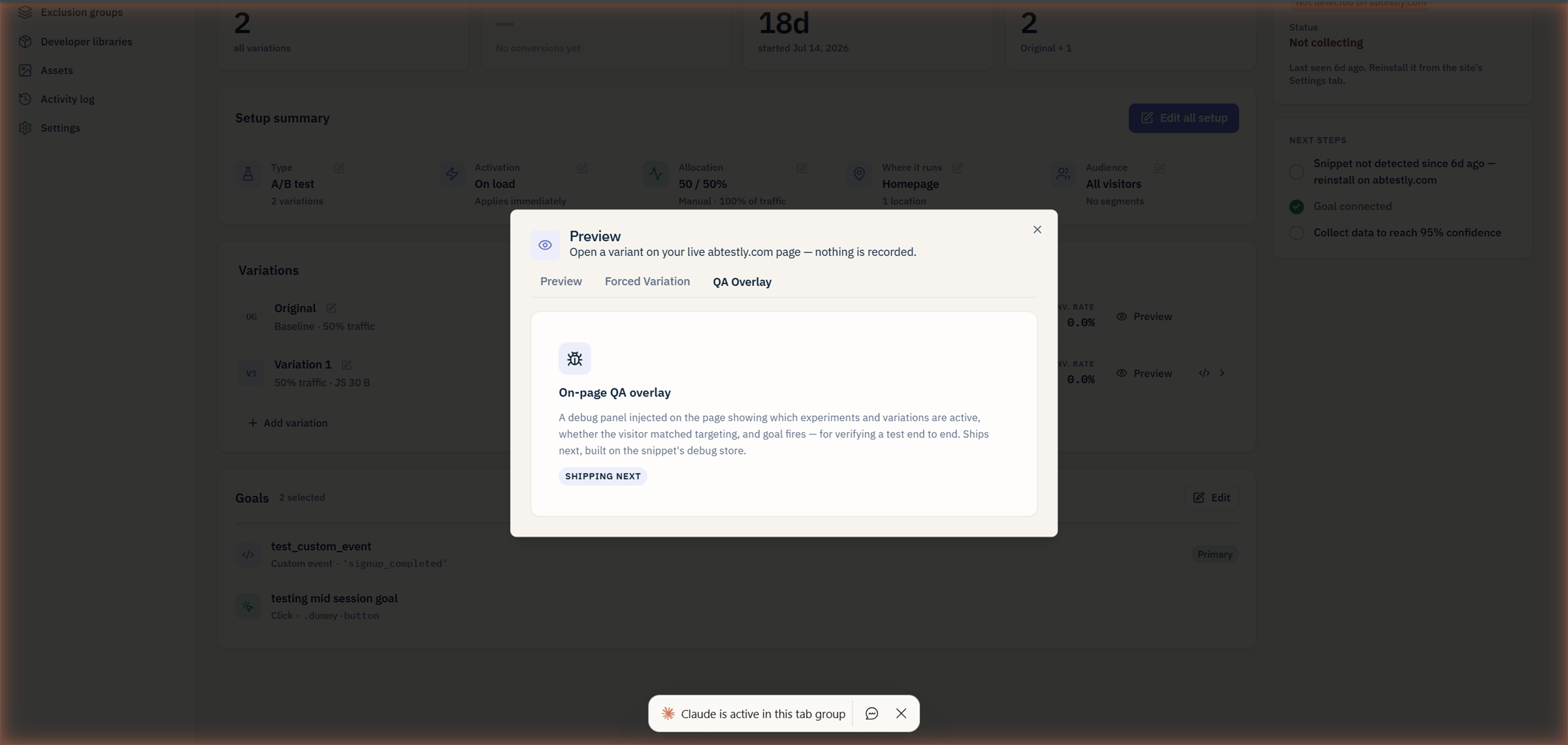
Open the [preview modal](/preview/preview-modal) on any experiment
and switch to the **QA Overlay** tab. Click **Enable**. The overlay
appears immediately on the current page and persists as you
navigate the site.
To turn it off, come back to the tab and click **Disable**, or click
the **×** on the overlay itself.
## What it shows
**Header:** the visitor id, the config version, and a live counter
of active experiments.
**Experiments panel:** every experiment on this site's config, with:
* Status, assigned/not-assigned/not-eligible.
* Variant key if assigned.
* Reason if not assigned or not eligible ("Location did not match",
"Audience: country\_not\_matched", etc.).
**Triggers panel:** every activation trigger on the current page, with:
* Selector or condition.
* State, armed, fired, or not-yet.
* Timestamp of last fire.
**Goals panel:** every goal defined on this site's experiments, with:
* Selector or condition.
* Fire count in this session.
* Timestamp of last fire.
**Events panel:** the last few events the snippet emitted, in
reverse-chronological order. Same event kinds as the
[dev debugger](/preview/dev-debugger).
## Live updates
Everything updates in real time. Click a button on your page and
watch the goal panel tick up. Scroll past a **When visible**
trigger's element and watch its state flip from "armed" to "fired".
## The overlay across pages
Preview mode persists across pages for an hour, and the overlay
persists with it. Click through your funnel, watch each page's
overlay update. Turn it off from any page.
## Effects on data
None. The overlay is a display-only debug tool. It observes what the
snippet already does and does not itself fire any beacons or record
any events. Turning it on cannot poison your test data.
## When to use overlay vs dev debugger
* **Overlay**, walk through your site to see what happens on each
page. Best for goal / trigger debugging where you want to *see* the
fire happen.
* **Dev debugger** (`window.__abtestly.debug()`), one-shot snapshot
from the Console. Best when you already know what page you are on
and want the full internal state at that moment.
## Sensitive fields
The overlay respects the same "sensitive" gate as the debugger.
Hashed visitor id and internal identifiers show fully in preview
mode; outside preview mode they are redacted. See the
[dev debugger sensitive section](/preview/dev-debugger).
## Turning it on
Open the [preview modal](/preview/preview-modal) on any experiment
and switch to the **QA Overlay** tab. Click **Enable**. The overlay
appears immediately on the current page and persists as you
navigate the site.
To turn it off, come back to the tab and click **Disable**, or click
the **×** on the overlay itself.
## What it shows
**Header:** the visitor id, the config version, and a live counter
of active experiments.
**Experiments panel:** every experiment on this site's config, with:
* Status, assigned/not-assigned/not-eligible.
* Variant key if assigned.
* Reason if not assigned or not eligible ("Location did not match",
"Audience: country\_not\_matched", etc.).
**Triggers panel:** every activation trigger on the current page, with:
* Selector or condition.
* State, armed, fired, or not-yet.
* Timestamp of last fire.
**Goals panel:** every goal defined on this site's experiments, with:
* Selector or condition.
* Fire count in this session.
* Timestamp of last fire.
**Events panel:** the last few events the snippet emitted, in
reverse-chronological order. Same event kinds as the
[dev debugger](/preview/dev-debugger).
## Live updates
Everything updates in real time. Click a button on your page and
watch the goal panel tick up. Scroll past a **When visible**
trigger's element and watch its state flip from "armed" to "fired".
## The overlay across pages
Preview mode persists across pages for an hour, and the overlay
persists with it. Click through your funnel, watch each page's
overlay update. Turn it off from any page.
## Effects on data
None. The overlay is a display-only debug tool. It observes what the
snippet already does and does not itself fire any beacons or record
any events. Turning it on cannot poison your test data.
## When to use overlay vs dev debugger
* **Overlay**, walk through your site to see what happens on each
page. Best for goal / trigger debugging where you want to *see* the
fire happen.
* **Dev debugger** (`window.__abtestly.debug()`), one-shot snapshot
from the Console. Best when you already know what page you are on
and want the full internal state at that moment.
## Sensitive fields
The overlay respects the same "sensitive" gate as the debugger.
Hashed visitor id and internal identifiers show fully in preview
mode; outside preview mode they are redacted. See the
[dev debugger sensitive section](/preview/dev-debugger).