> ## Documentation Index
> Fetch the complete documentation index at: https://docs.abtestly.com/llms.txt
> Use this file to discover all available pages before exploring further.
# Forced variation
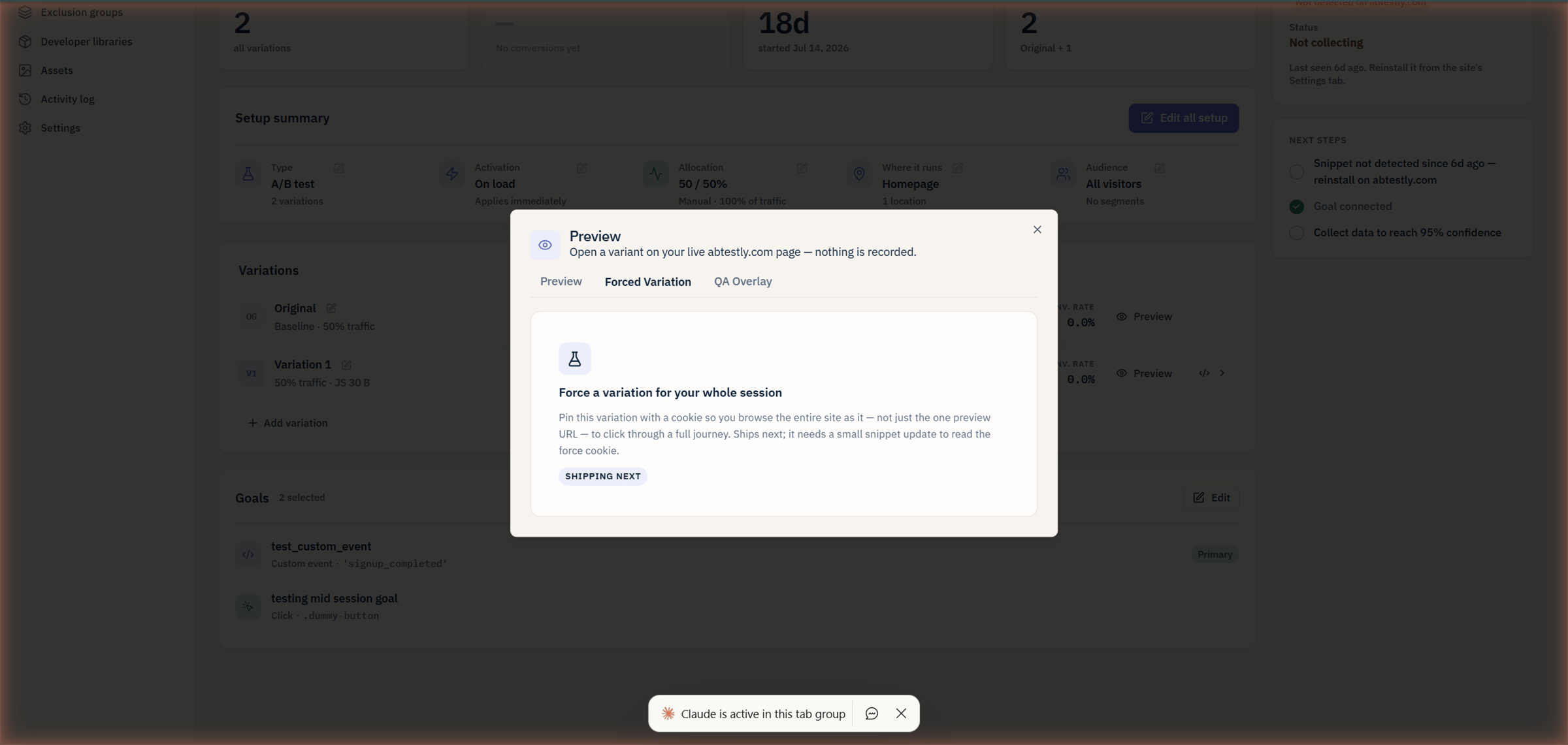
> Pin yourself to a specific variant for a full browser session, on any experiment. Handy for a stakeholder walkthrough.
Preview links show you a variant on a specific page. **Forced
variation** goes further: it pins you into a variant for a full
session, across every page you visit on the site.
 ## When to use it
* **Walking a stakeholder through the site.** Preview URLs show one
variant on one page; forced variation lets them click around in
the variant across the whole site.
* **QA on multi-page flows.** Send yourself into Variant B, then
click through the entire funnel to make sure nothing breaks
downstream.
* **Debugging an issue reported for a specific variant.** Pin
yourself in and reproduce.
## How
The Preview modal has a **Forced Variation** tab. Pick an
experiment, pick a variant, click apply. A session cookie is
written on your domain that tells the snippet "always pick this
variant for this experiment, for the rest of this session".
You can pin yourself into multiple experiments at once, each is a
separate row in the tab.
## What "session" means
* Ends when you close the browser, or after **one hour**, whichever
comes first.
* Does **not** survive a browser restart.
* Applies only to the browser you set it in, not across devices.
Deliberate short-lived: forced variation is a QA tool, not a
long-lived state. Nobody should be locked into a variant for their
next real visit.
## What it does *not* do
* **Does not affect your results.** Forced-variation exposures are
suppressed the same way preview exposures are, no beacon lands,
no MTU is counted.
* **Does not override the visitor opt-out URL.** If you have opted
yourself out with `?abtestly_optout=1`, forced variation cannot
bring you back in. Deliberate; opt-out is a user-respect feature
and QA does not get to bypass it.
* **Does not apply to visitors other than you.** Forced variation is
per-browser, per-session, sharing your session cookie would not
even do it (the cookie is scoped to your browser instance).
## Ending it
* Close the browser (or wait an hour).
* Or return to the Forced Variation tab and click **Clear**.
Clearing removes the cookie. Next pageview you are back to real
bucketing.
## When to use preview links instead
If you just want to send a colleague a shareable "here is Variant B
on the pricing page" URL, use the [preview link](/preview/preview-modal)
it does not need any setup on their side. Forced variation is for
sessions you drive yourself.
## When to use it
* **Walking a stakeholder through the site.** Preview URLs show one
variant on one page; forced variation lets them click around in
the variant across the whole site.
* **QA on multi-page flows.** Send yourself into Variant B, then
click through the entire funnel to make sure nothing breaks
downstream.
* **Debugging an issue reported for a specific variant.** Pin
yourself in and reproduce.
## How
The Preview modal has a **Forced Variation** tab. Pick an
experiment, pick a variant, click apply. A session cookie is
written on your domain that tells the snippet "always pick this
variant for this experiment, for the rest of this session".
You can pin yourself into multiple experiments at once, each is a
separate row in the tab.
## What "session" means
* Ends when you close the browser, or after **one hour**, whichever
comes first.
* Does **not** survive a browser restart.
* Applies only to the browser you set it in, not across devices.
Deliberate short-lived: forced variation is a QA tool, not a
long-lived state. Nobody should be locked into a variant for their
next real visit.
## What it does *not* do
* **Does not affect your results.** Forced-variation exposures are
suppressed the same way preview exposures are, no beacon lands,
no MTU is counted.
* **Does not override the visitor opt-out URL.** If you have opted
yourself out with `?abtestly_optout=1`, forced variation cannot
bring you back in. Deliberate; opt-out is a user-respect feature
and QA does not get to bypass it.
* **Does not apply to visitors other than you.** Forced variation is
per-browser, per-session, sharing your session cookie would not
even do it (the cookie is scoped to your browser instance).
## Ending it
* Close the browser (or wait an hour).
* Or return to the Forced Variation tab and click **Clear**.
Clearing removes the cookie. Next pageview you are back to real
bucketing.
## When to use preview links instead
If you just want to send a colleague a shareable "here is Variant B
on the pricing page" URL, use the [preview link](/preview/preview-modal)
it does not need any setup on their side. Forced variation is for
sessions you drive yourself.