> ## Documentation Index
> Fetch the complete documentation index at: https://docs.abtestly.com/llms.txt
> Use this file to discover all available pages before exploring further.
# Goal types
> The seven kinds of goal ABTestly can count for you: click, page visit, form submit, scroll depth, engaged session, revenue, custom event.
Every goal is one of seven types. Pick the type in the goal builder,
give it the piece it needs (a selector, a URL, a code snippet), and
save. The rest is the same across all types.
` inside a `` matches
`button` via `closest()`.
## Page visit
Fires when a visitor loads (or in SPA mode, navigates to) a URL
matching a rule.
**Give it:** URL rules, same builder as
[URL rules](/targeting/url-rules) for Locations.
Cross-page attribution: if the exposure happened on page A and the
goal URL is page B, the visit to B counts.
## Form submit
Fires on a native form submit event.
**Give it:** a CSS selector for the form. `#signup-form`,
`.newsletter form`.
Fires before the browser's actual submit, so it counts even if the
navigation goes elsewhere afterwards.
## Scroll depth
Fires when a visitor scrolls past a threshold.
**Give it:** a percentage (25 / 50 / 75 / 90) or a CSS selector for
an element that has to become visible.
Uses an `IntersectionObserver` under the hood, cheap.
## Engaged session
Fires when the visitor stays past a threshold or meets an activity
condition.
**Give it:** a time (defaults to 30 seconds) plus an optional activity
gate ("must have scrolled at least once" or "must have clicked at
least once").
## Revenue
Fires when your code calls `abtestly.trackGoal('key', valueOrOpts)`
with a numeric value.
**Give it:** a goal key. The value comes from the call.
Revenue is **summed** across fires, not first-only, and deduplicated
by `orderId` so a retried beacon does not double-count.
```js theme={null}
// simple
abtestly.trackGoal('purchase', 129.00);
// deduped + refund-safe
abtestly.trackGoal('purchase', {
value: 129.00,
orderId: 'order-9182',
currency: 'USD',
});
// refund
abtestly.trackGoal('purchase', {
refund: true,
refundId: 'refund-3341',
orderId: 'order-9182',
});
```
See [Revenue metrics](/results/revenue-metrics) for what the results
page does with the numbers.
## Custom event
Fires when your code calls `abtestly.trackGoal('key')`, no value.
**Give it:** a goal key.
Use this for anything that does not fit the other six: a modal opened,
a step completed, a video watched to 50 %. Anything you can detect in
JavaScript can call `trackGoal`.
## Which type for which thing
| You want to count | Type |
| ------------------------------ | --------------- |
| Button click | Click |
| Reaching a specific page | Page visit |
| A form got submitted | Form submit |
| Read half the article | Scroll depth |
| "This person actually engaged" | Engaged session |
| A dollar amount | Revenue |
| Anything else | Custom event |
## Selector tips
For Click and Form submit goals, the selector should be as specific as
you can make it *without* over-fitting. `.hero-cta` is better than
`button` (matches everything on the page). `[data-track="upgrade"]`
is better than `.hero-cta` if your team already stamps tracking
attributes.
The goal builder does live selector analysis while you type, see
"Selector matches N elements on this page", so you can catch broken
selectors before you save.
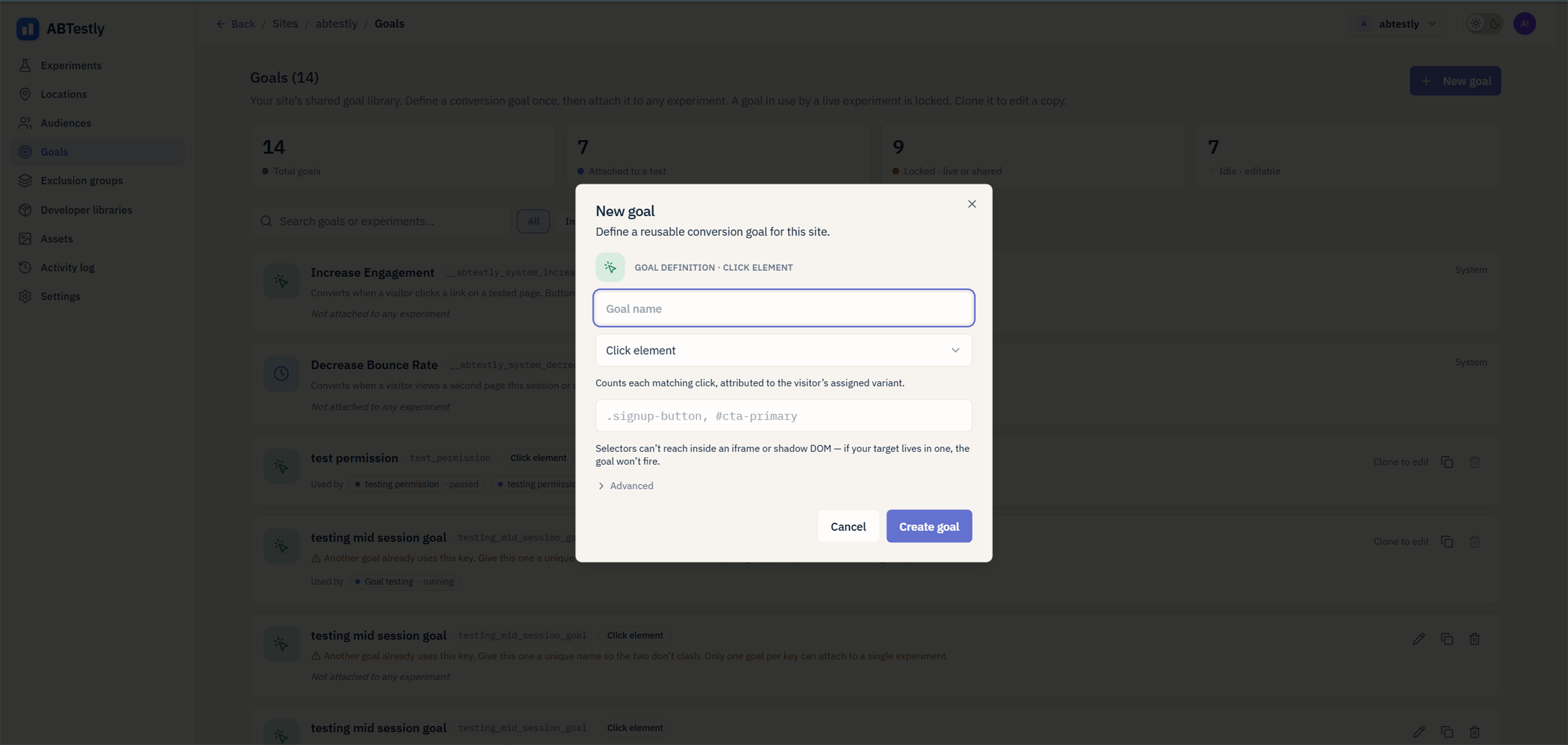 ## Click
Fires when a visitor clicks an element matching a CSS selector.
**Give it:** a CSS selector. `.hero-cta`, `#signup-btn`, `[data-track="upgrade"]`.
Uses one shared, delegated click listener at the document level, so
you can define as many click goals as you want without stacking
listeners.
Nested clicks work, a click on a `` inside a `
## Click
Fires when a visitor clicks an element matching a CSS selector.
**Give it:** a CSS selector. `.hero-cta`, `#signup-btn`, `[data-track="upgrade"]`.
Uses one shared, delegated click listener at the document level, so
you can define as many click goals as you want without stacking
listeners.
Nested clicks work, a click on a `` inside a `