> ## Documentation Index
> Fetch the complete documentation index at: https://docs.abtestly.com/llms.txt
> Use this file to discover all available pages before exploring further.
# Dev libraries
> Attach a curated JavaScript library to a variant. It loads once per page, on the pages that need it, cached at the CDN.
If two variants both need a carousel library, you do not want two copies
of Splide on the page. Dev libraries fix that. Attach a library to a
variant from a picker; the runtime injects the script and the CSS
exactly once per page, on the pages a variant actually applies to.
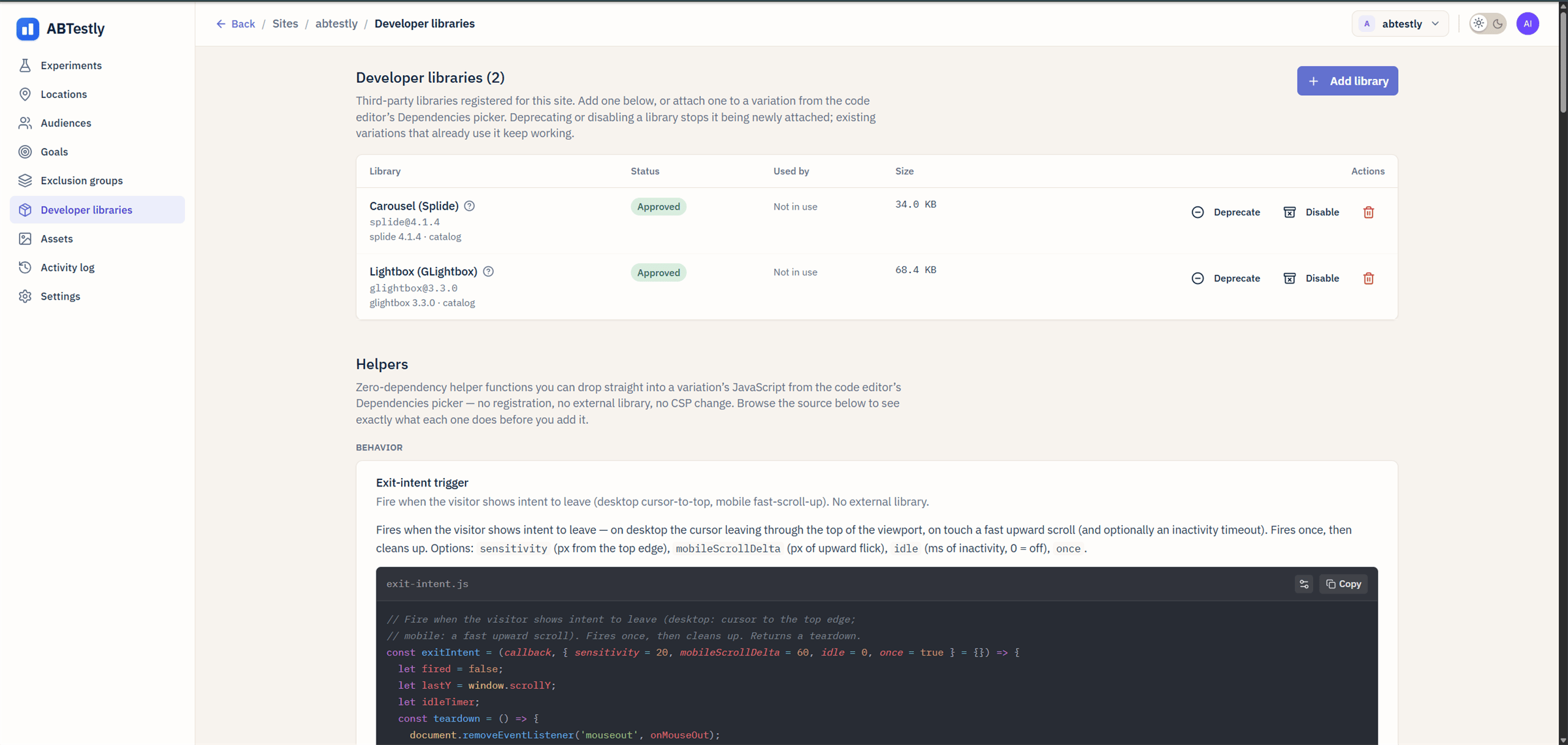 ## What is on offer
Curated for now. The catalog is worker-authoritative and each entry is
pinned to a specific version with an SRI hash. Adding a library takes
a small PR to the catalog.
Today, examples:
* `splide@4.1.4`, Splide carousel.
* `glightbox@3.3.0`, GLightbox lightbox.
The current catalog is visible from the Dev libraries picker in the
variation editor.
## Attach one
1. In the variation editor for a variant, open the **Libraries** picker.
2. Pick a library. It gets added to the variant's dependency list.
3. Save. The library's starter code is appended to your variant's JS if
the starter is more than a stub.
You can attach up to **three** libraries per variant.
## Use it in variant JS
Inside your variant's code, the library is available via a scoped
accessor on the apply context:
```js theme={null}
abtestly.onApply(ABTESTLY_EXP_ID, async (ctx) => {
const Splide = await ctx.libs.get('splide');
new Splide('.hero-carousel').mount();
});
```
* `ctx.libs.get(key)` returns the library's default export.
* The Promise resolves once the library has finished loading on the
page.
* If you did not declare the library on the variant, the call throws
`UndeclaredLibraryDependencyError`. Add it to the picker first.
## What the runtime actually does
On the first page a variant needing library X applies to, the runtime
injects a `
## What is on offer
Curated for now. The catalog is worker-authoritative and each entry is
pinned to a specific version with an SRI hash. Adding a library takes
a small PR to the catalog.
Today, examples:
* `splide@4.1.4`, Splide carousel.
* `glightbox@3.3.0`, GLightbox lightbox.
The current catalog is visible from the Dev libraries picker in the
variation editor.
## Attach one
1. In the variation editor for a variant, open the **Libraries** picker.
2. Pick a library. It gets added to the variant's dependency list.
3. Save. The library's starter code is appended to your variant's JS if
the starter is more than a stub.
You can attach up to **three** libraries per variant.
## Use it in variant JS
Inside your variant's code, the library is available via a scoped
accessor on the apply context:
```js theme={null}
abtestly.onApply(ABTESTLY_EXP_ID, async (ctx) => {
const Splide = await ctx.libs.get('splide');
new Splide('.hero-carousel').mount();
});
```
* `ctx.libs.get(key)` returns the library's default export.
* The Promise resolves once the library has finished loading on the
page.
* If you did not declare the library on the variant, the call throws
`UndeclaredLibraryDependencyError`. Add it to the picker first.
## What the runtime actually does
On the first page a variant needing library X applies to, the runtime
injects a `